Product launches
Introduce a new item with a deliberate sequence from the existing gallery.

'%3e%3cg%20transform='translate(15%2015)%20translate(6%208)%20rotate(7)%20translate(-15%20-15)'%20opacity='0.7'%3e%3crect%20x='0'%20y='0'%20width='30'%20height='30'%20rx='8'%20fill='%23635bff'/%3e%3c/g%3e%3cg%20transform='translate(15%2015)%20translate(3%204)%20rotate(4)%20translate(-15%20-15)'%20opacity='0.85'%3e%3crect%20x='0'%20y='0'%20width='30'%20height='30'%20rx='8'%20fill='%233372f0'/%3e%3c/g%3e%3cg%20opacity='1'%3e%3crect%20x='0'%20y='0'%20width='30'%20height='30'%20rx='8'%20fill='%2300a9e0'/%3e%3c/g%3e%3c/g%3e%3c/svg%3e)
Shopify × SiteSeam
Choose images already organized on a product in your authorized Shopify store, then shape them into polished launches, detail stories, and social Reels.
Browse the Setup GuideStart with what you already have
Bring the images you already capture into SiteSeam. Here’s where the story begins.
Your images, already in Shopify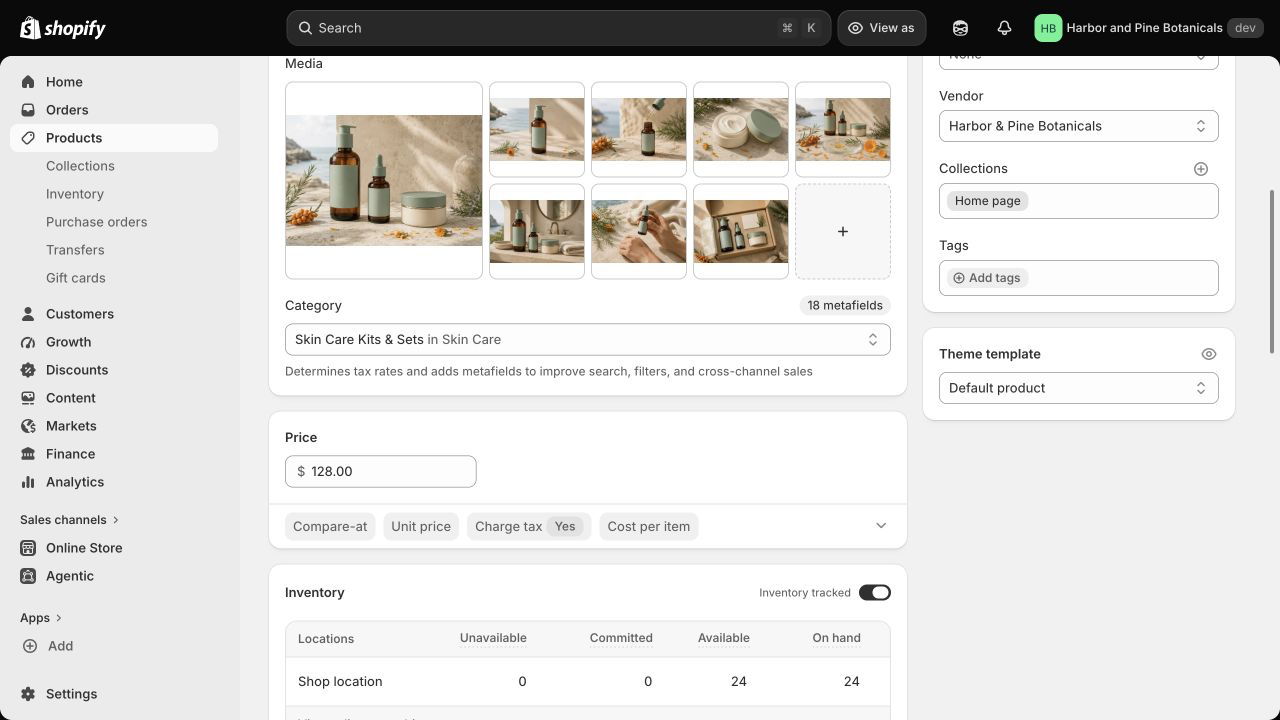
From Shopify to SiteSeam
Select approved images from Shopify, then see them in your SiteSeam project, ready to create with.
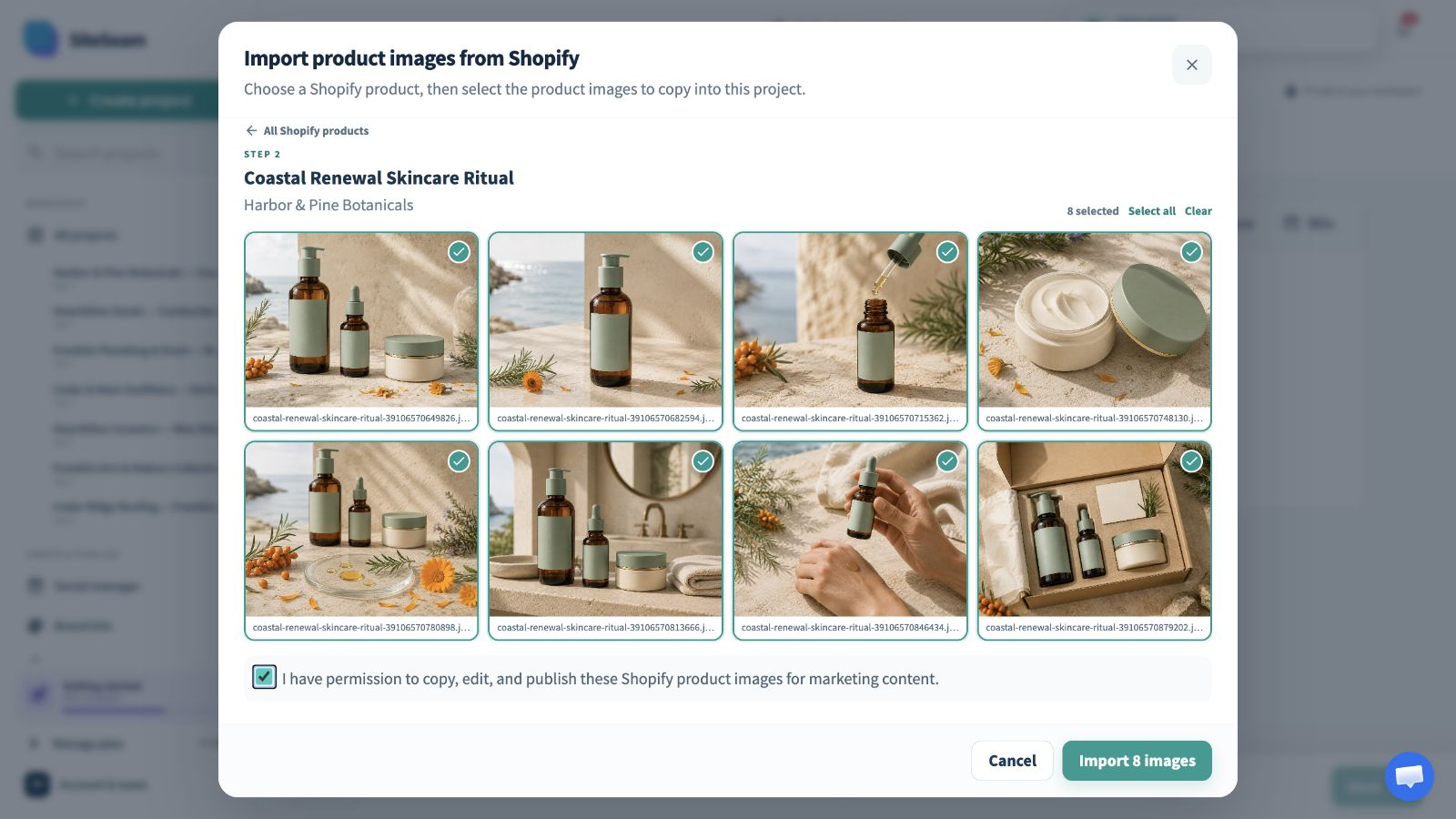
The approved Shopify product images are selected for import.
The selected product images appear in the SiteSeam project gallery.
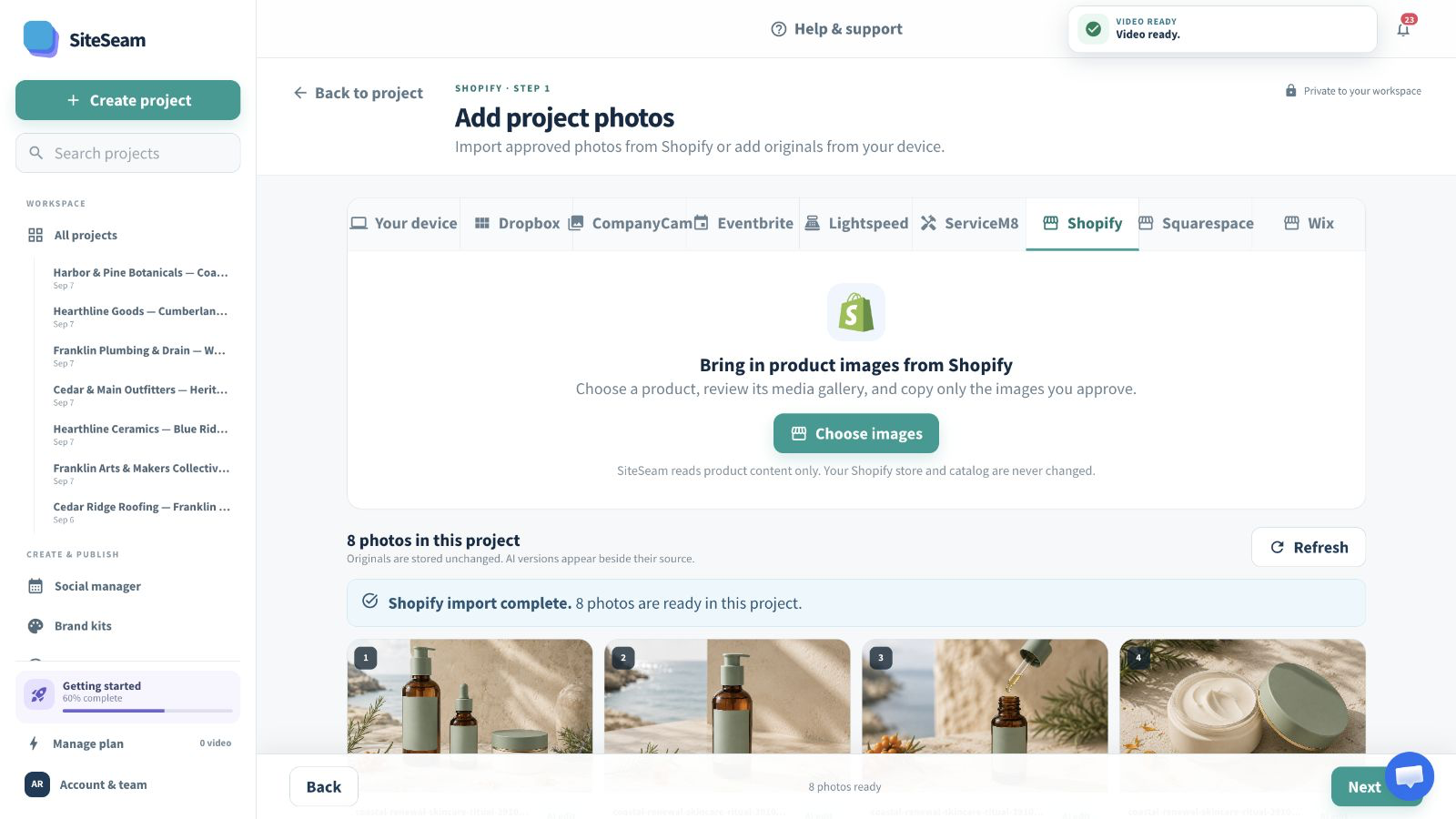
Product gallery in. Campaign out.
Find a Shopify product, approve the images that fit the story, and create without changing the source product or its media.
Browse or search products from the connected Shopify store.
Review the media gallery and approve only the visuals you may publish.
Turn the imported product story into a branded vertical Reel.
Built for Shopify merchants
Hero images, details, ingredients, packaging, and lifestyle photography can become a concise campaign without another export-and-upload cycle.
Introduce a new item with a deliberate sequence from the existing gallery.
Highlight materials, ingredients, texture, construction, or finish.
Keep social content aligned with the products currently in focus.
Create repeatable content from photography already approved for the store.
You stay in control
SiteSeam uses the store, product, and image data needed for selection and never edits your Shopify catalog.
Start with one product
Connect your store and choose a product gallery—or upload your own approved photos.