New arrivals
Turn a complete product gallery into a concise launch story.

'%3e%3cg%20transform='translate(15%2015)%20translate(6%208)%20rotate(7)%20translate(-15%20-15)'%20opacity='0.7'%3e%3crect%20x='0'%20y='0'%20width='30'%20height='30'%20rx='8'%20fill='%23635bff'/%3e%3c/g%3e%3cg%20transform='translate(15%2015)%20translate(3%204)%20rotate(4)%20translate(-15%20-15)'%20opacity='0.85'%3e%3crect%20x='0'%20y='0'%20width='30'%20height='30'%20rx='8'%20fill='%233372f0'/%3e%3c/g%3e%3cg%20opacity='1'%3e%3crect%20x='0'%20y='0'%20width='30'%20height='30'%20rx='8'%20fill='%2300a9e0'/%3e%3c/g%3e%3c/g%3e%3c/svg%3e)
Wix × SiteSeam
Install SiteSeam on your Wix site, choose images from a Wix Stores product, and turn them into polished launches, detail stories, and social Reels.
Browse the Setup GuideStart with what you already have
Bring the images you already capture into SiteSeam. Here’s where the story begins.
Your images, already in Wix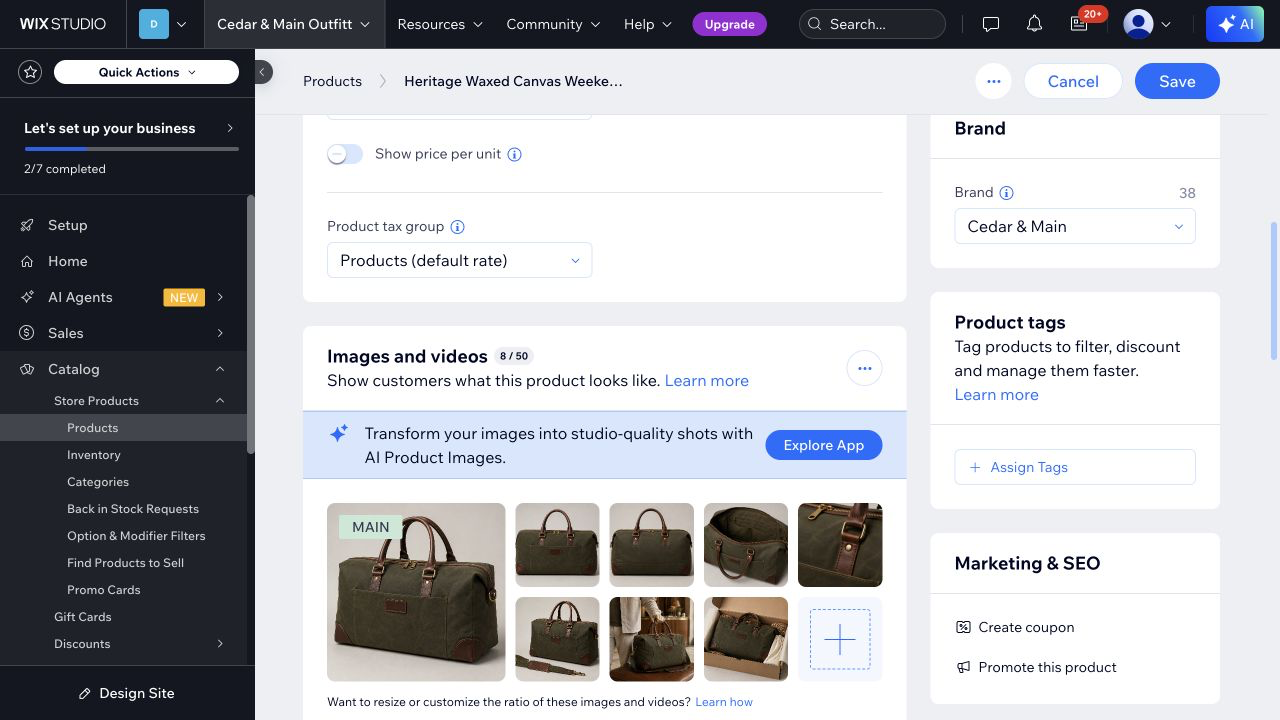
From Wix to SiteSeam
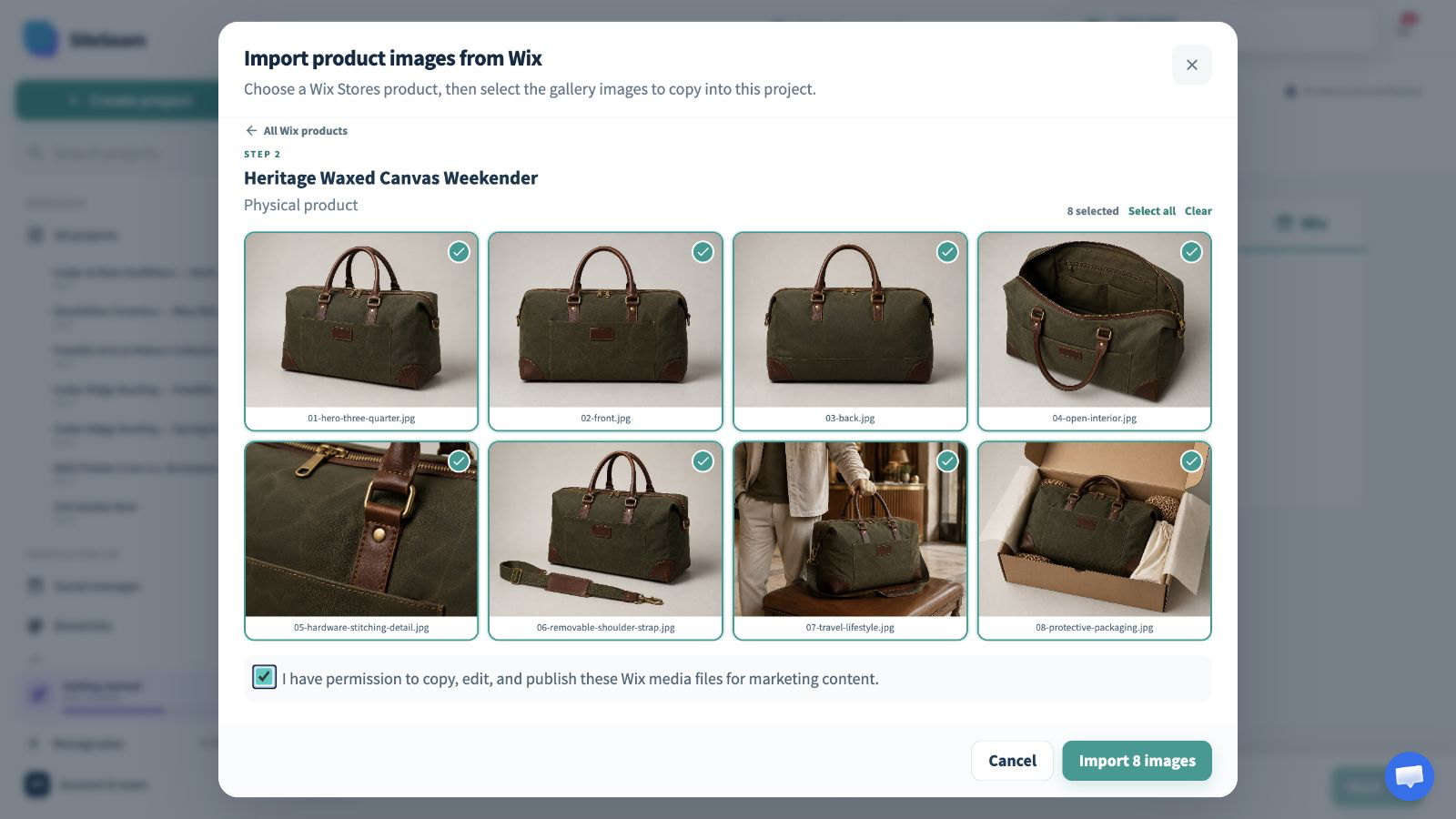
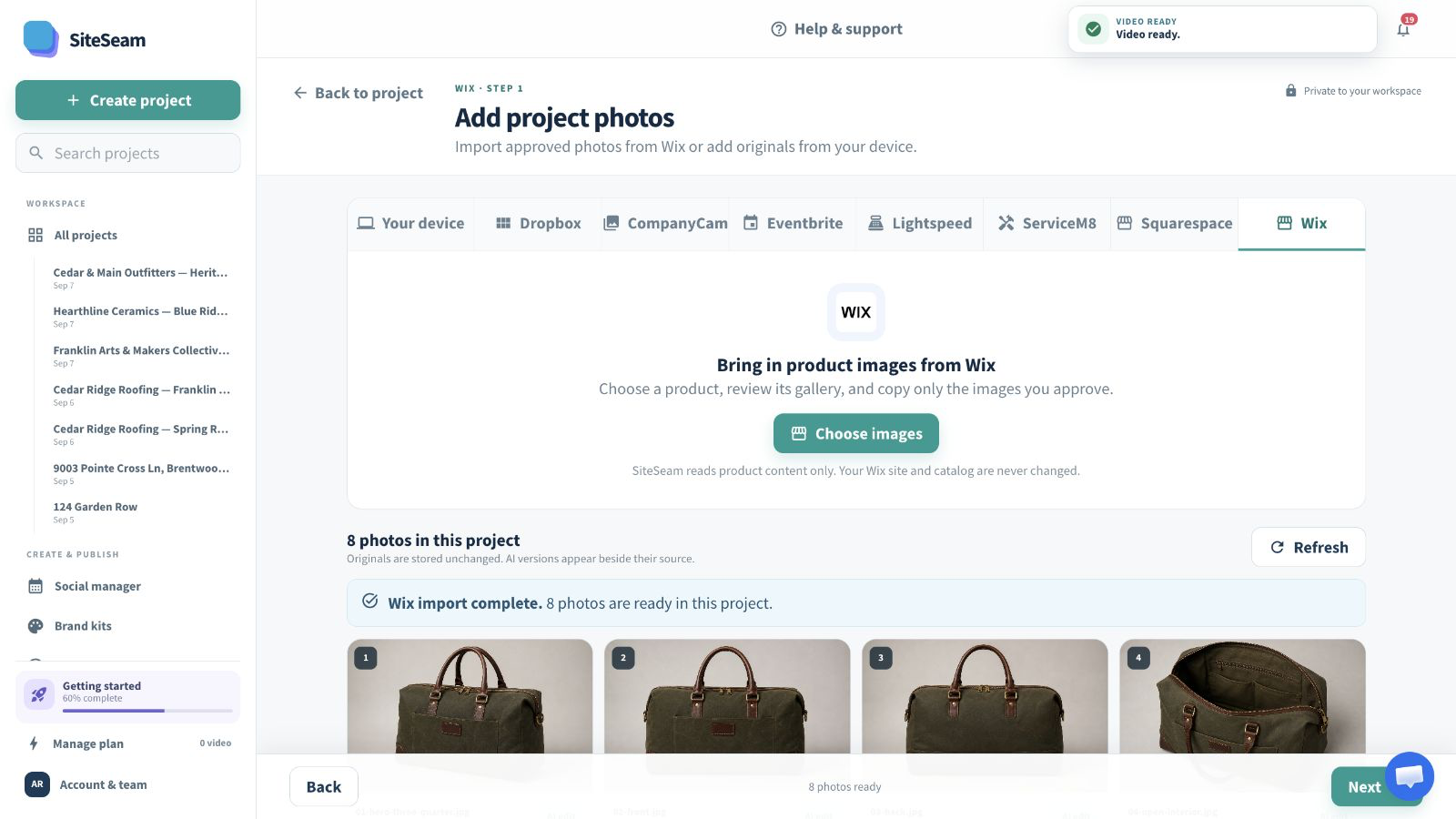
Select approved images from Wix, then see them in your SiteSeam project, ready to create with.
The approved product images are selected for import.
The selected product images appear in the SiteSeam project gallery.
Product media in. Campaign out.
Choose a connected Wix site, open a product gallery, and import only the images approved for the next story.
Authorize SiteSeam for the Wix site that holds your product catalog.
Open a product and select the gallery visuals you may publish.
Arrange the imported images into a branded vertical campaign.
Built for Wix Stores teams
Use the same approved product angles and details to keep campaigns visually consistent across site and social.
Turn a complete product gallery into a concise launch story.
Use ordered images to call attention to construction and function.
Create a consistent rhythm for the products currently in focus.
Keep publishing from assets already approved for the store.
You stay in control
SiteSeam uses read access to find product media and copies only images selected inside a SiteSeam project.
Start with one product
Connect your site and choose a product gallery—or upload your own approved photos.