Tour highlights
Show the stops and moments that make an experience stand out.

'%3e%3cg%20transform='translate(15%2015)%20translate(6%208)%20rotate(7)%20translate(-15%20-15)'%20opacity='0.7'%3e%3crect%20x='0'%20y='0'%20width='30'%20height='30'%20rx='8'%20fill='%23635bff'/%3e%3c/g%3e%3cg%20transform='translate(15%2015)%20translate(3%204)%20rotate(4)%20translate(-15%20-15)'%20opacity='0.85'%3e%3crect%20x='0'%20y='0'%20width='30'%20height='30'%20rx='8'%20fill='%233372f0'/%3e%3c/g%3e%3cg%20opacity='1'%3e%3crect%20x='0'%20y='0'%20width='30'%20height='30'%20rx='8'%20fill='%2300a9e0'/%3e%3c/g%3e%3c/g%3e%3c/svg%3e)
Bokun × SiteSeam
Bring your Bokun tour and activity photos into SiteSeam. Choose the moments that tell the story and create branded Reels for your next campaign.
Preview integration. Public App Store availability is pending Bokun review.
Browse the Setup GuideFrom Bokun to SiteSeam
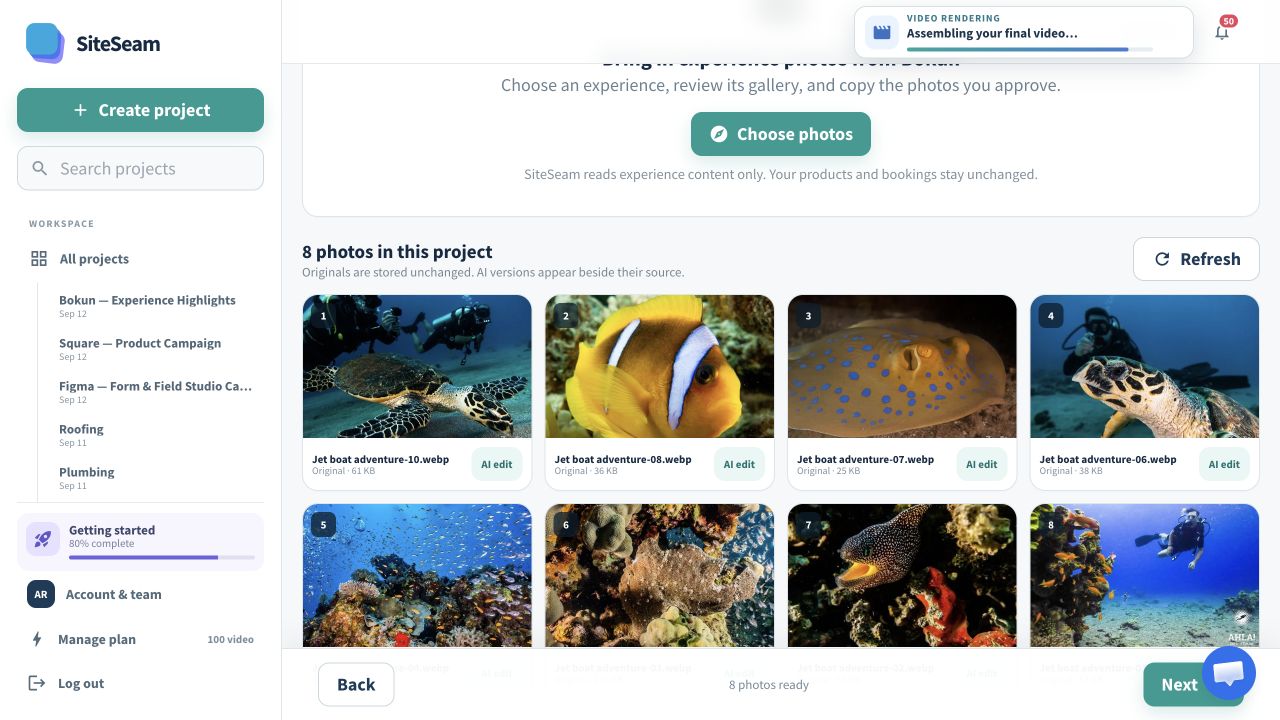
Select approved images from Bokun, then see them in your SiteSeam project, ready to create with.
Only your selected Bokun photos will be copied.
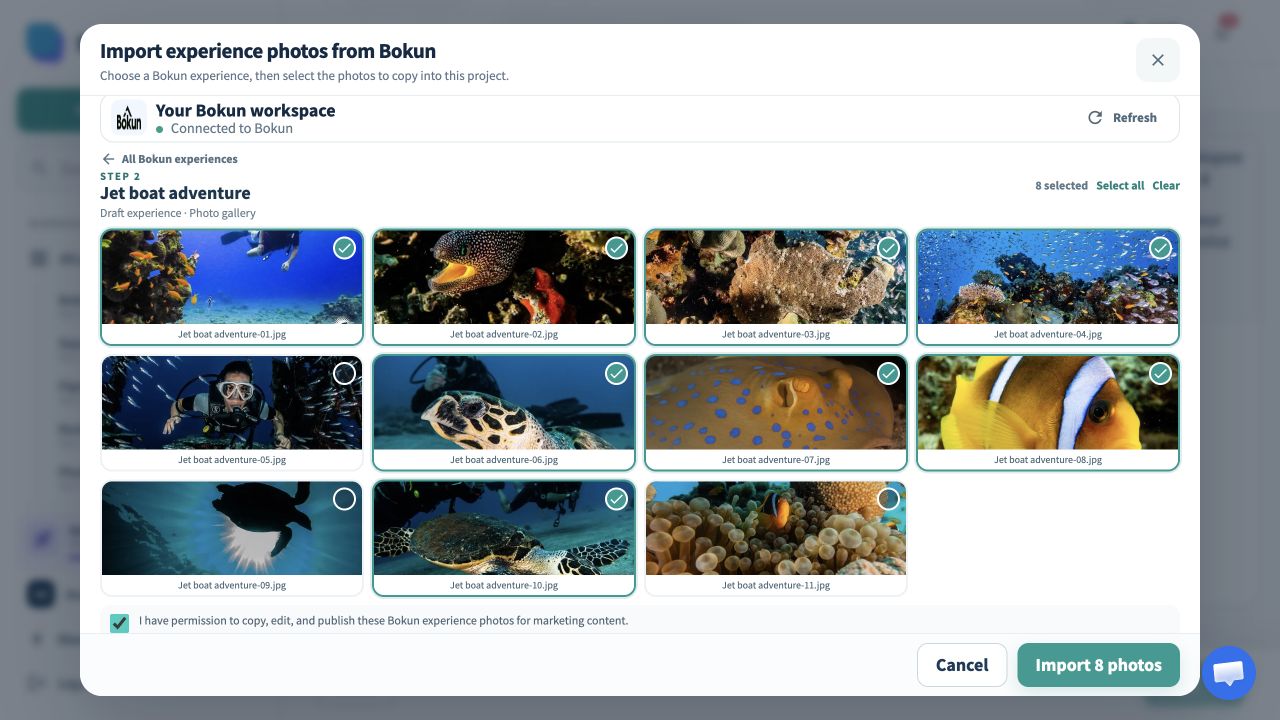
The selected experience photos appear in the SiteSeam project gallery.
From your gallery to their next adventure
Your team already has the photos. Connect Bokun, choose an experience you operate, and bring its approved gallery into a SiteSeam project.
Find the tour or activity you want to feature.
Choose the landscapes, details, and activities that make the experience memorable.
Arrange the photos, add your message, and review the finished story.
For tour and activity operators
Build a repeatable content workflow from the experience galleries your team already maintains.
Show the stops and moments that make an experience stand out.
Bring an existing gallery into a fresh seasonal story.
Share the scenery and atmosphere before guests arrive.
Keep your voice, colors, and contact details together across Reels.
You stay in control
SiteSeam requests product read access and copies only the experience photos you select.
Start with one experience
Connect your vendor account and choose an experience gallery—or upload your own approved photos.