Campaign launches
Sequence approved design pages into a concise launch story.
'/%3e%3cpath%20fill='%23fff'%20d='M61%2066c-5%205-11%208-18%208-13%200-22-9-22-23%200-17%2012-30%2028-30%208%200%2015%203%2020%208l-7%209c-4-4-8-6-13-6-9%200-15%208-15%2018%200%208%204%2013%2011%2013%204%200%208-2%2012-5l4%208Z'/%3e%3c/svg%3e)
'%3e%3cg%20transform='translate(15%2015)%20translate(6%208)%20rotate(7)%20translate(-15%20-15)'%20opacity='0.7'%3e%3crect%20x='0'%20y='0'%20width='30'%20height='30'%20rx='8'%20fill='%23635bff'/%3e%3c/g%3e%3cg%20transform='translate(15%2015)%20translate(3%204)%20rotate(4)%20translate(-15%20-15)'%20opacity='0.85'%3e%3crect%20x='0'%20y='0'%20width='30'%20height='30'%20rx='8'%20fill='%233372f0'/%3e%3c/g%3e%3cg%20opacity='1'%3e%3crect%20x='0'%20y='0'%20width='30'%20height='30'%20rx='8'%20fill='%2300a9e0'/%3e%3c/g%3e%3c/g%3e%3c/svg%3e)
Canva × SiteSeam
Choose approved designs from your authorized Canva account, export the visuals you need, and arrange them into polished campaign and social Reels.
Browse the Setup GuideStart with what you already have
Bring the images you already capture into SiteSeam. Here’s where the story begins.
Your images, already in Canva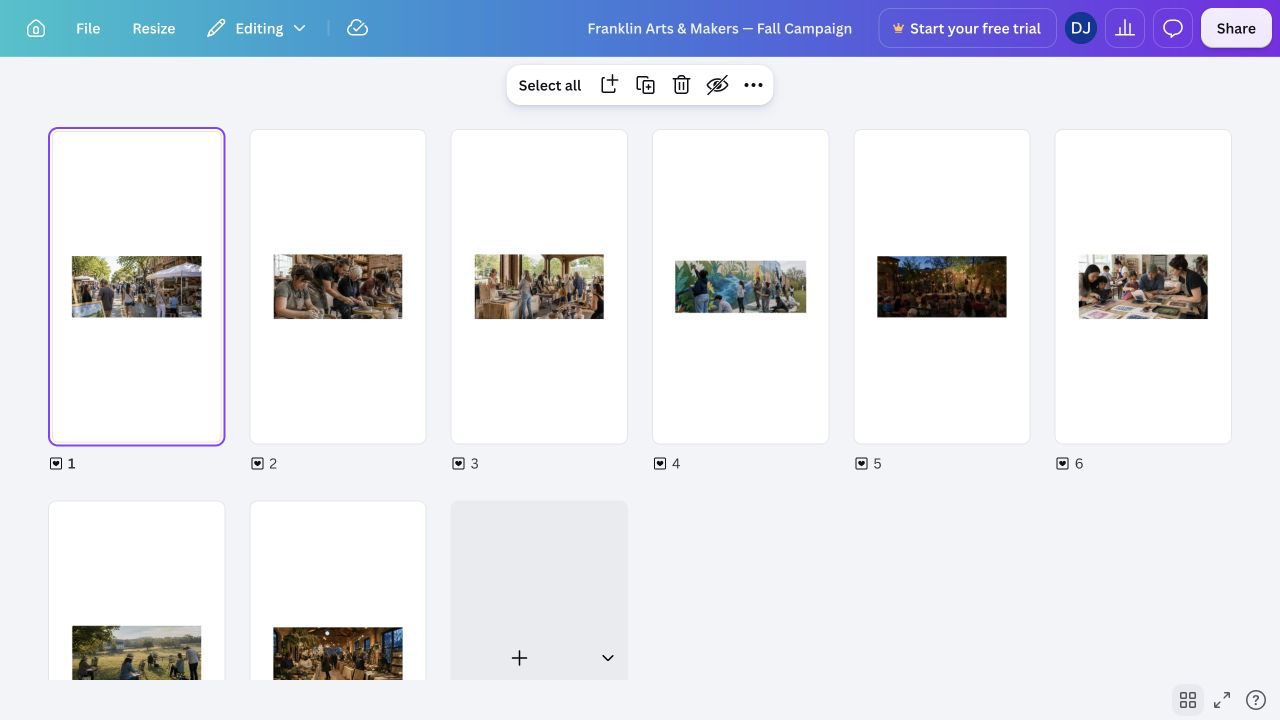
From Canva to SiteSeam
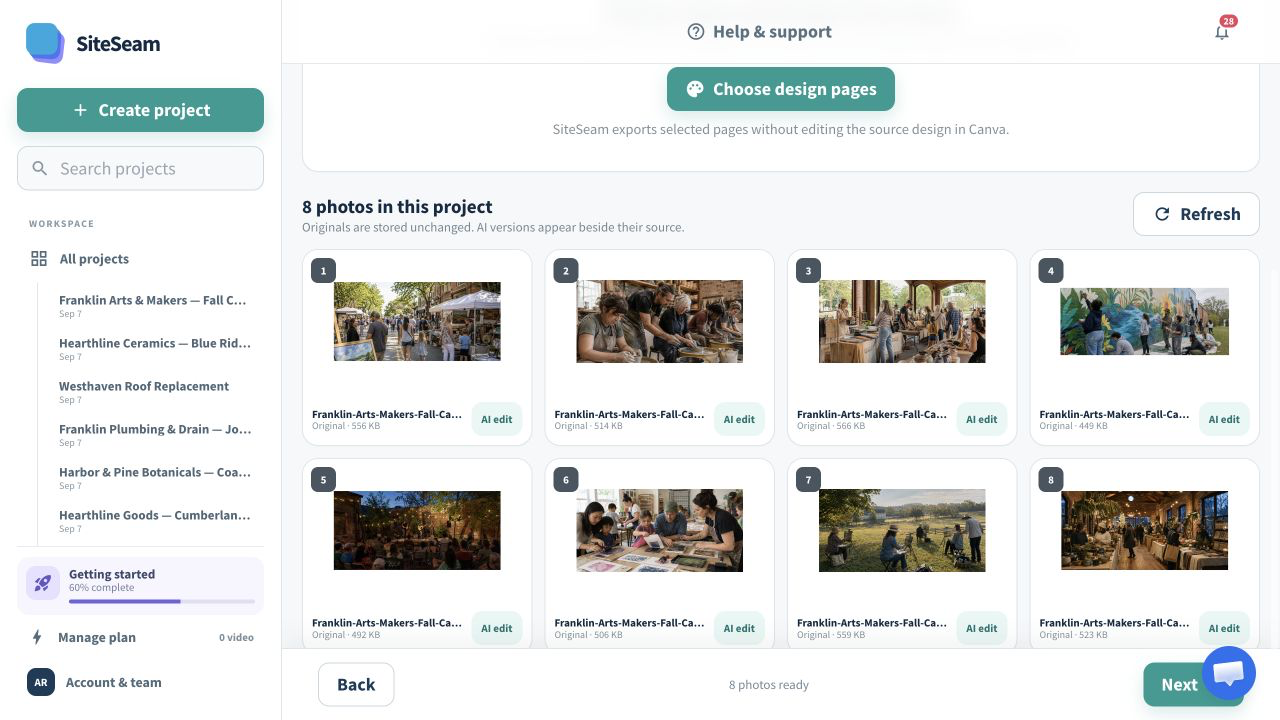
Select approved images from Canva, then see them in your SiteSeam project, ready to create with.
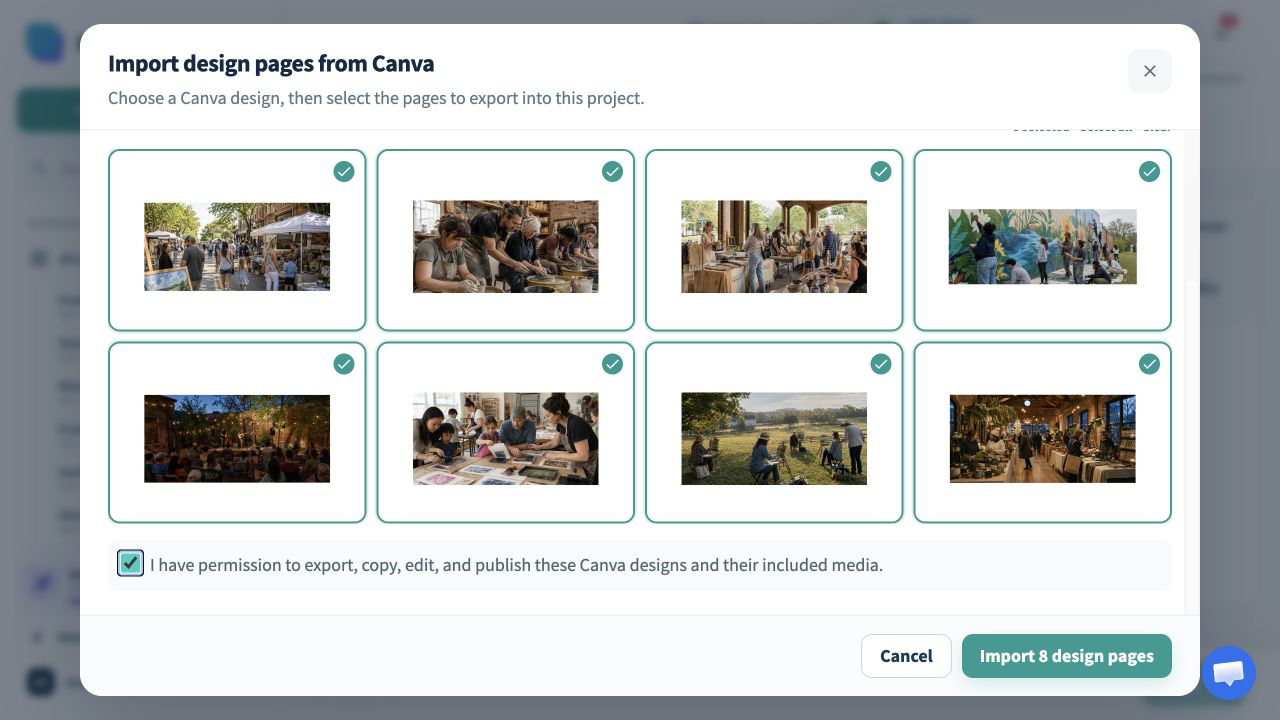
The approved Canva design pages are selected for import.
The selected design pages appear in the SiteSeam project gallery.
Designs in. Motion out.
Open a design from your authorized Canva account, choose the pages that belong in the story, and keep the source design unchanged.
Open the Canva design that contains the approved campaign pages.
Review the design pages and choose only the ones you may publish.
Arrange the exported visuals into a branded vertical Reel.
Built for marketing teams
Approved announcements, menus, promotions, and brand layouts can become a cohesive Reel without rebuilding them.
Sequence approved design pages into a concise launch story.
Bring feature graphics and supporting visuals into motion.
Reuse approved campaign artwork across short-form channels.
Start from designs already reviewed by the team.
You stay in control
SiteSeam lists designs from the authorized account and exports only the design pages selected for a SiteSeam project.
Start with one campaign
Connect Canva and choose approved design pages—or upload your own approved photos.