'%3e%3cg%20transform='translate(15%2015)%20translate(6%208)%20rotate(7)%20translate(-15%20-15)'%20opacity='0.7'%3e%3crect%20x='0'%20y='0'%20width='30'%20height='30'%20rx='8'%20fill='%23635bff'/%3e%3c/g%3e%3cg%20transform='translate(15%2015)%20translate(3%204)%20rotate(4)%20translate(-15%20-15)'%20opacity='0.85'%3e%3crect%20x='0'%20y='0'%20width='30'%20height='30'%20rx='8'%20fill='%233372f0'/%3e%3c/g%3e%3cg%20opacity='1'%3e%3crect%20x='0'%20y='0'%20width='30'%20height='30'%20rx='8'%20fill='%2300a9e0'/%3e%3c/g%3e%3c/g%3e%3c/svg%3e)
In Canva
Create the design for the campaign
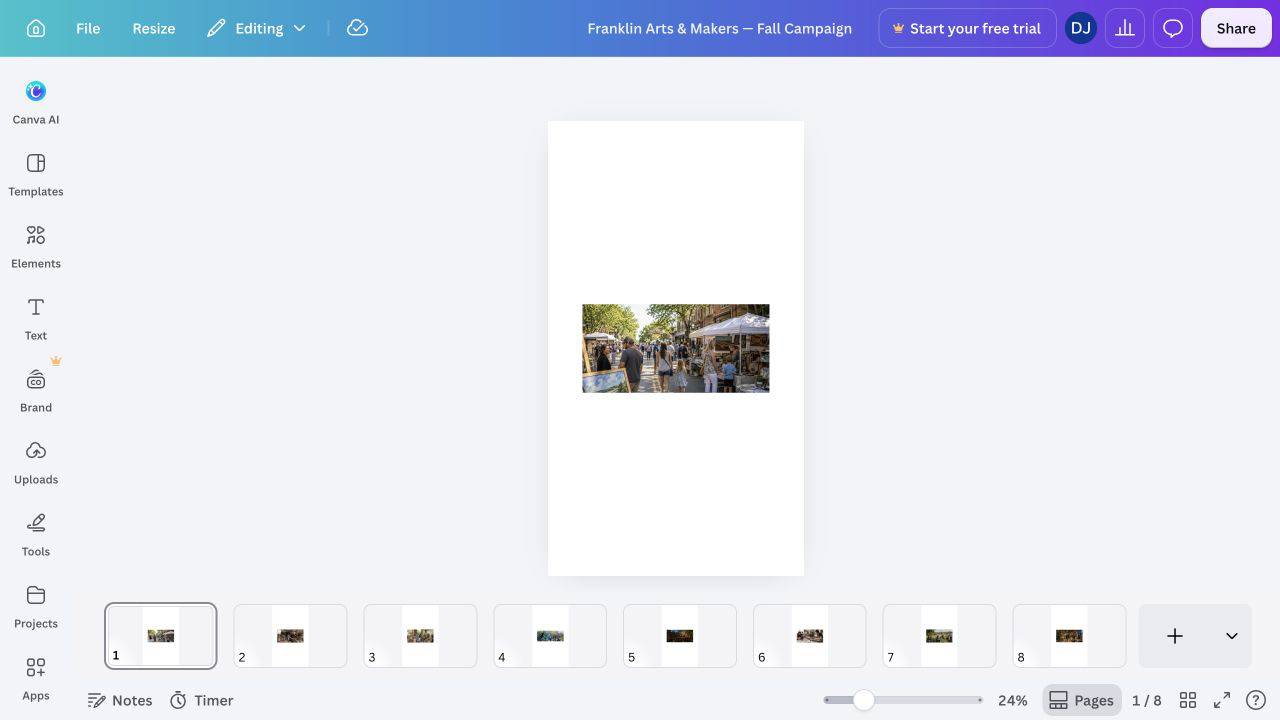
Create or open the approved campaign design and give it a clear title so it is easy to identify from SiteSeam.
'/%3e%3cpath%20fill='%23fff'%20d='M61%2066c-5%205-11%208-18%208-13%200-22-9-22-23%200-17%2012-30%2028-30%208%200%2015%203%2020%208l-7%209c-4-4-8-6-13-6-9%200-15%208-15%2018%200%208%204%2013%2011%2013%204%200%208-2%2012-5l4%208Z'/%3e%3c/svg%3e) Integration guide
Integration guide Follow the complete workflow - from preparing an approved Canva design through authorizing the connection, importing selected pages, and reviewing the finished Reel.
10 documented steps
Confirmation screens are called out explicitly. SiteSeam exports only the design pages you approve and does not change the source design in Canva.
In Canva
Create or open the approved campaign design and give it a clear title so it is easy to identify from SiteSeam.
Confirmation
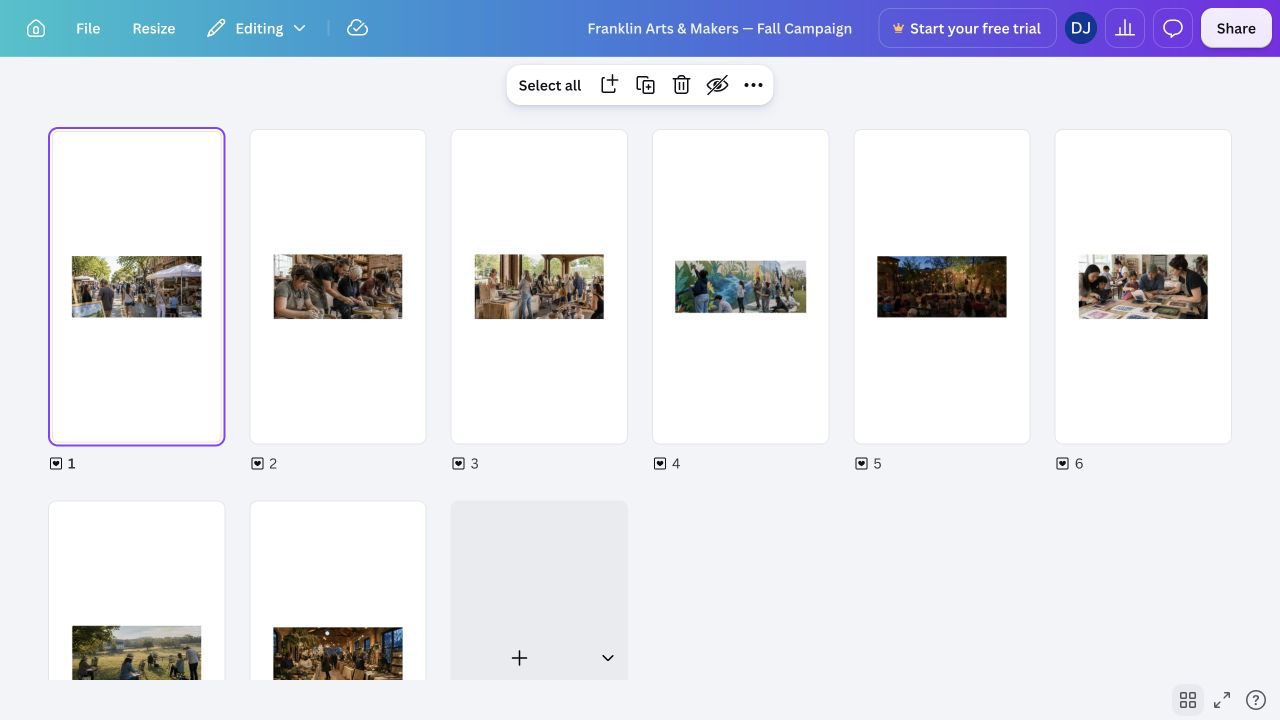
Confirmation screenReview the design and confirm that its approved pages, layout, copy, and brand elements are complete before connecting SiteSeam.
In SiteSeam
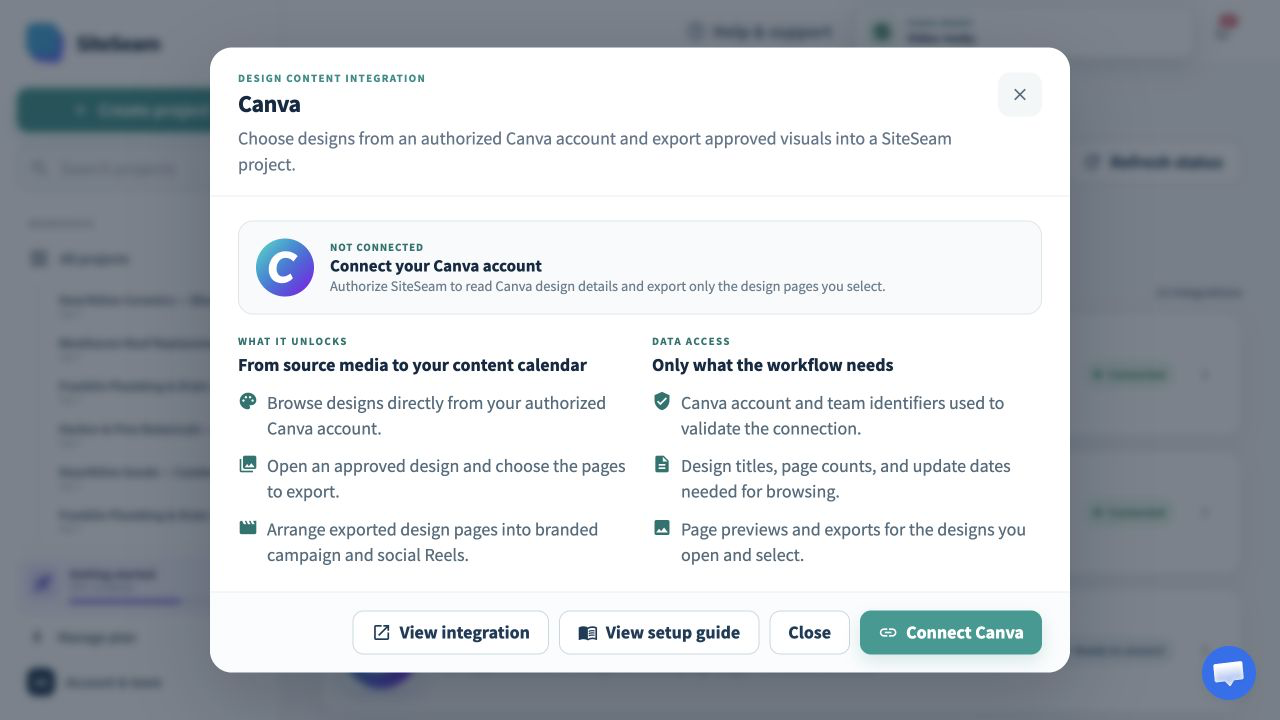
Open Integrations in SiteSeam, choose Canva, and select Connect Canva. Only a workspace owner or admin can manage the connection.
Confirmation
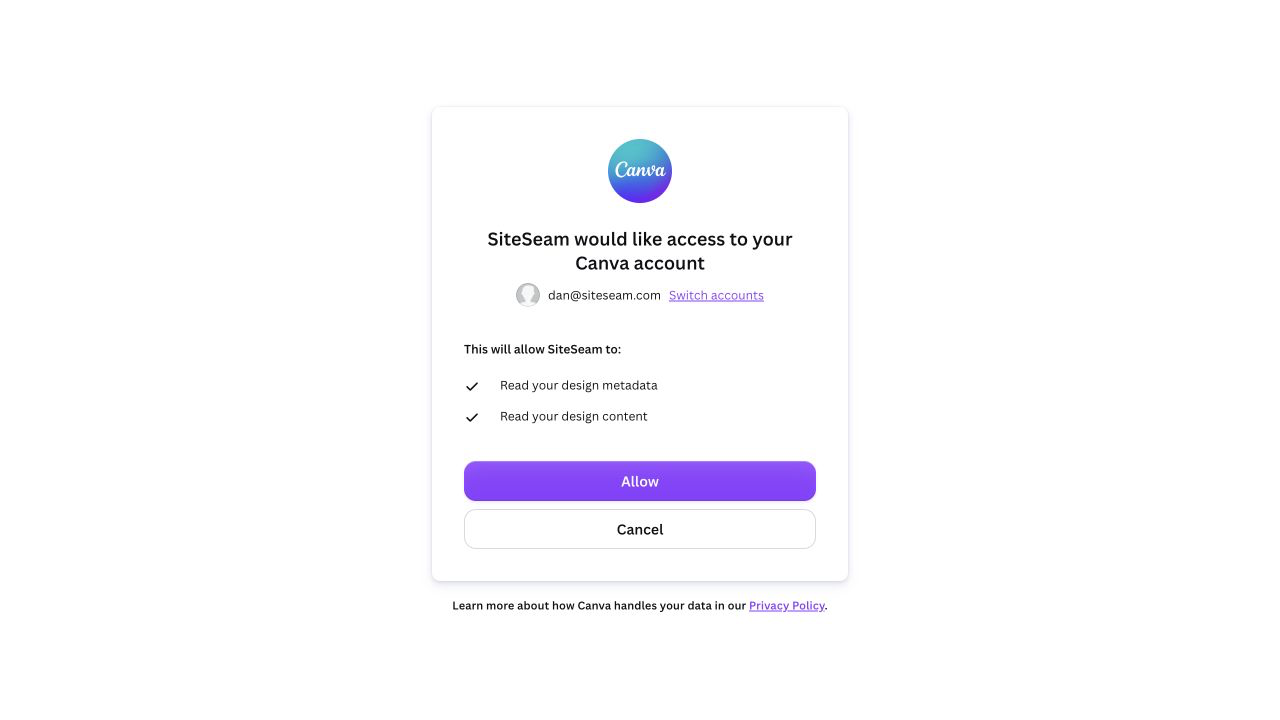
Confirmation screenReview Canva's design metadata and design content read permissions, then approve the connection. SiteSeam never receives your Canva password.
Confirmation
Confirmation screenSiteSeam confirms the connection and marks Canva as connected. If access needs attention later, the same card guides an owner or admin through reconnecting.
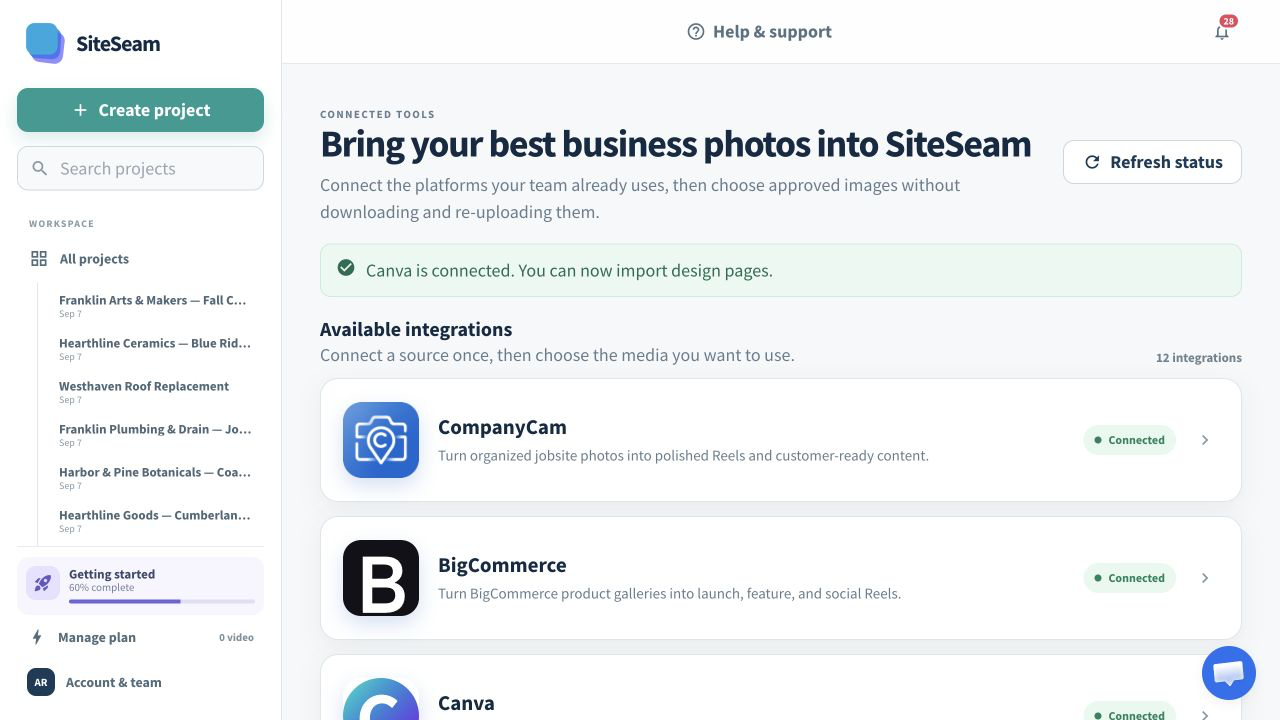
In SiteSeam
Create a project for the Reel and give it a descriptive name. This project will hold the imported originals and the content you create from them.
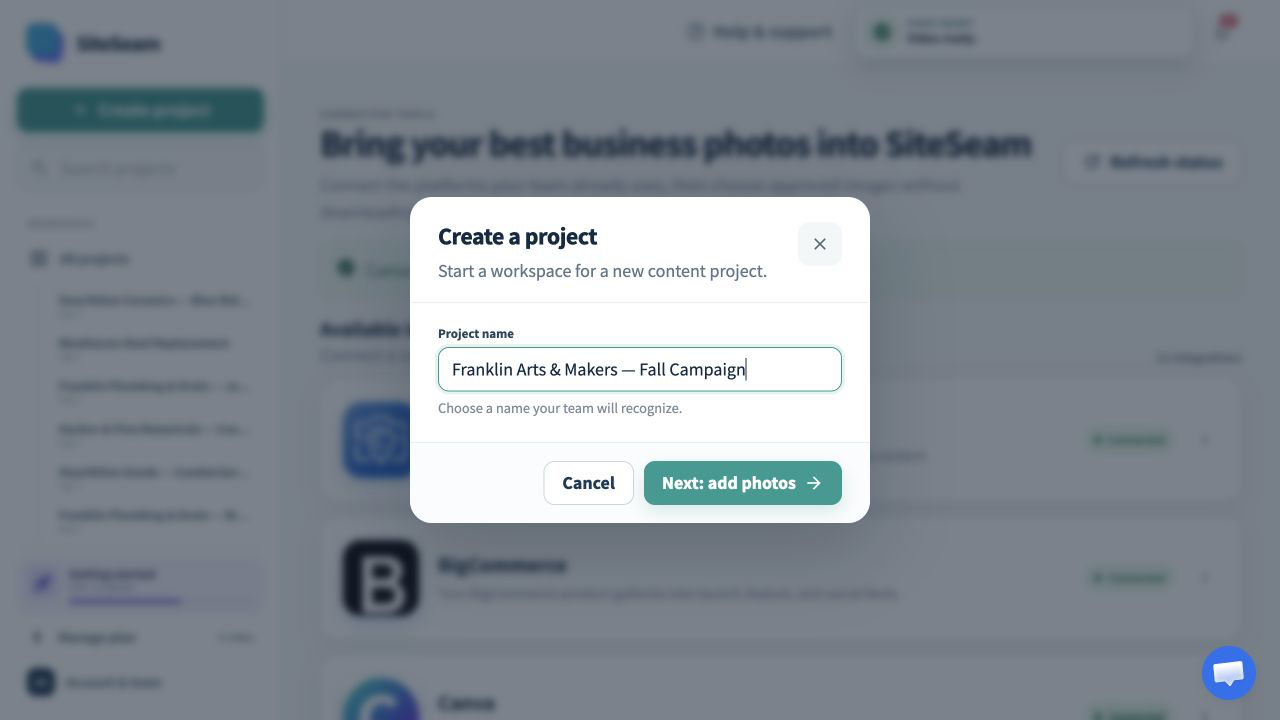
In SiteSeam
Select Canva as the source, open the matching design, and choose only the pages you have permission to use.
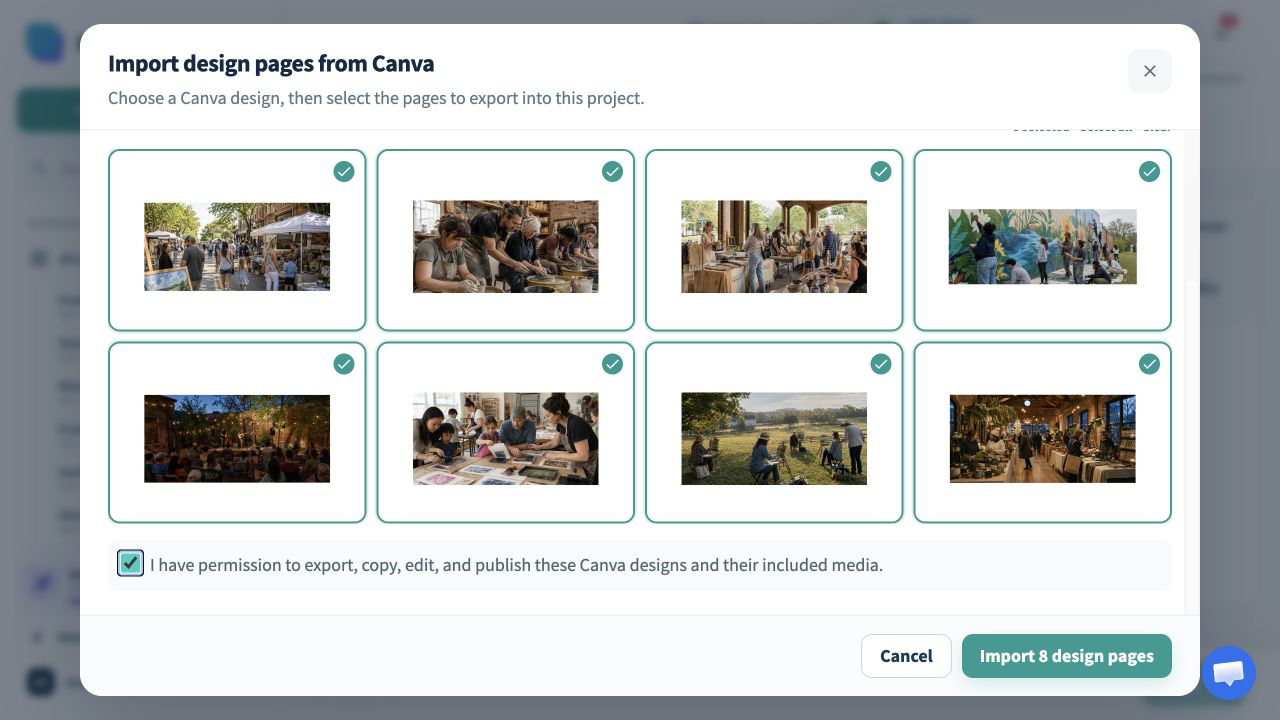
Confirmation
Confirmation screenAccept the media-rights statement and start the import. SiteSeam copies the selected design pages into the project without changing their source in Canva.
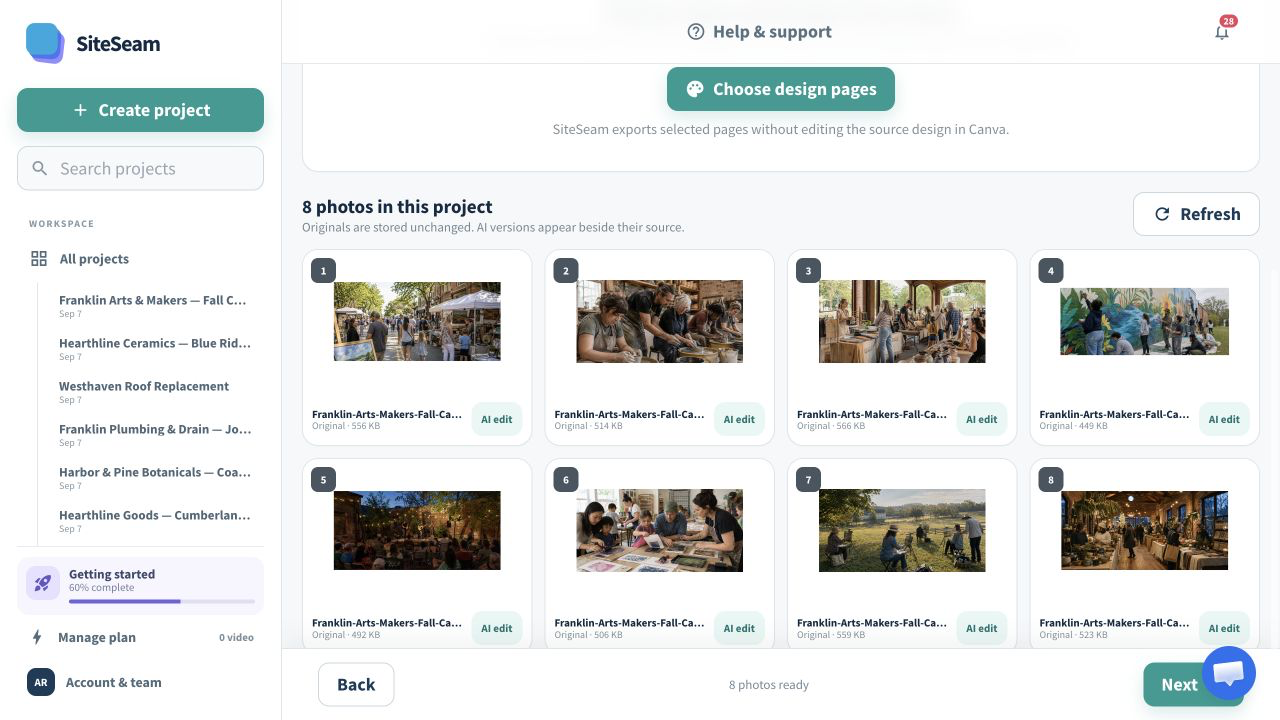
In SiteSeam
Start a Reel, arrange the imported images, choose movement and effects, then review the branding and format before generating.
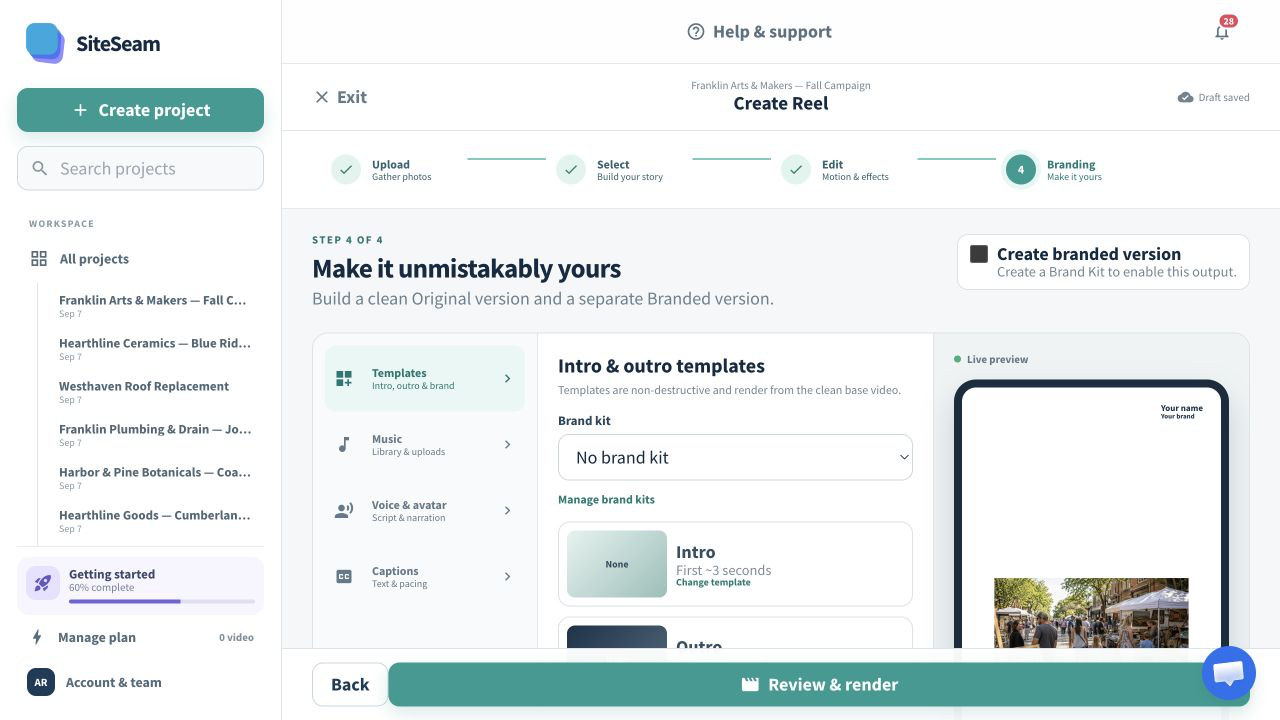
Confirmation
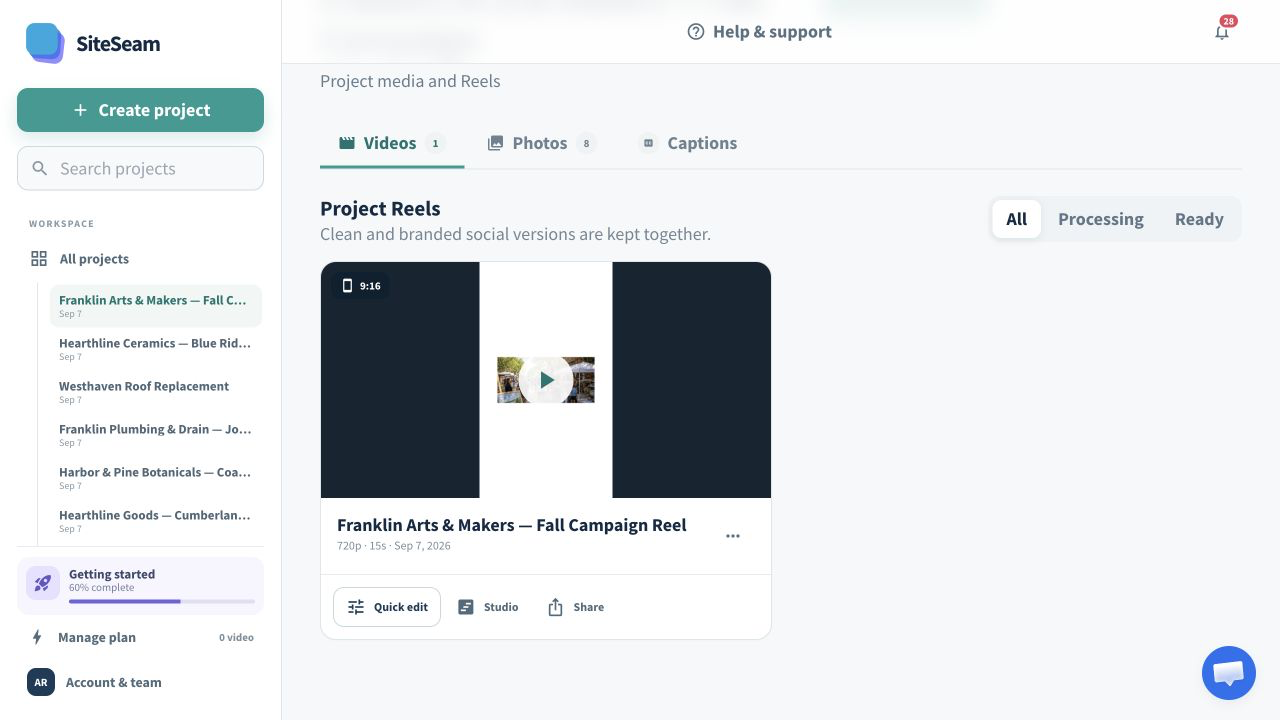
Confirmation screenOpen the finished Reel, review the result, and make any final adjustments before downloading or continuing to your publishing workflow.
Ready to use your Canva designs?
Choose a Canva design, import the approved pages, and keep every Reel organized in one SiteSeam project.