Before and after
Show the visible difference between the starting point and finished work.

'%3e%3cg%20transform='translate(15%2015)%20translate(6%208)%20rotate(7)%20translate(-15%20-15)'%20opacity='0.7'%3e%3crect%20x='0'%20y='0'%20width='30'%20height='30'%20rx='8'%20fill='%23635bff'/%3e%3c/g%3e%3cg%20transform='translate(15%2015)%20translate(3%204)%20rotate(4)%20translate(-15%20-15)'%20opacity='0.85'%3e%3crect%20x='0'%20y='0'%20width='30'%20height='30'%20rx='8'%20fill='%233372f0'/%3e%3c/g%3e%3cg%20opacity='1'%3e%3crect%20x='0'%20y='0'%20width='30'%20height='30'%20rx='8'%20fill='%2300a9e0'/%3e%3c/g%3e%3c/g%3e%3c/svg%3e)
CompanyCam × SiteSeam
Select the project photos your crew already captures in CompanyCam. SiteSeam turns them into branded, marketer-reviewed Reels and business content ready for your social channels.
Browse the Setup GuideStart with what you already have
Bring the images you already capture into SiteSeam. Here’s where the story begins.
Your job photos, already in CompanyCam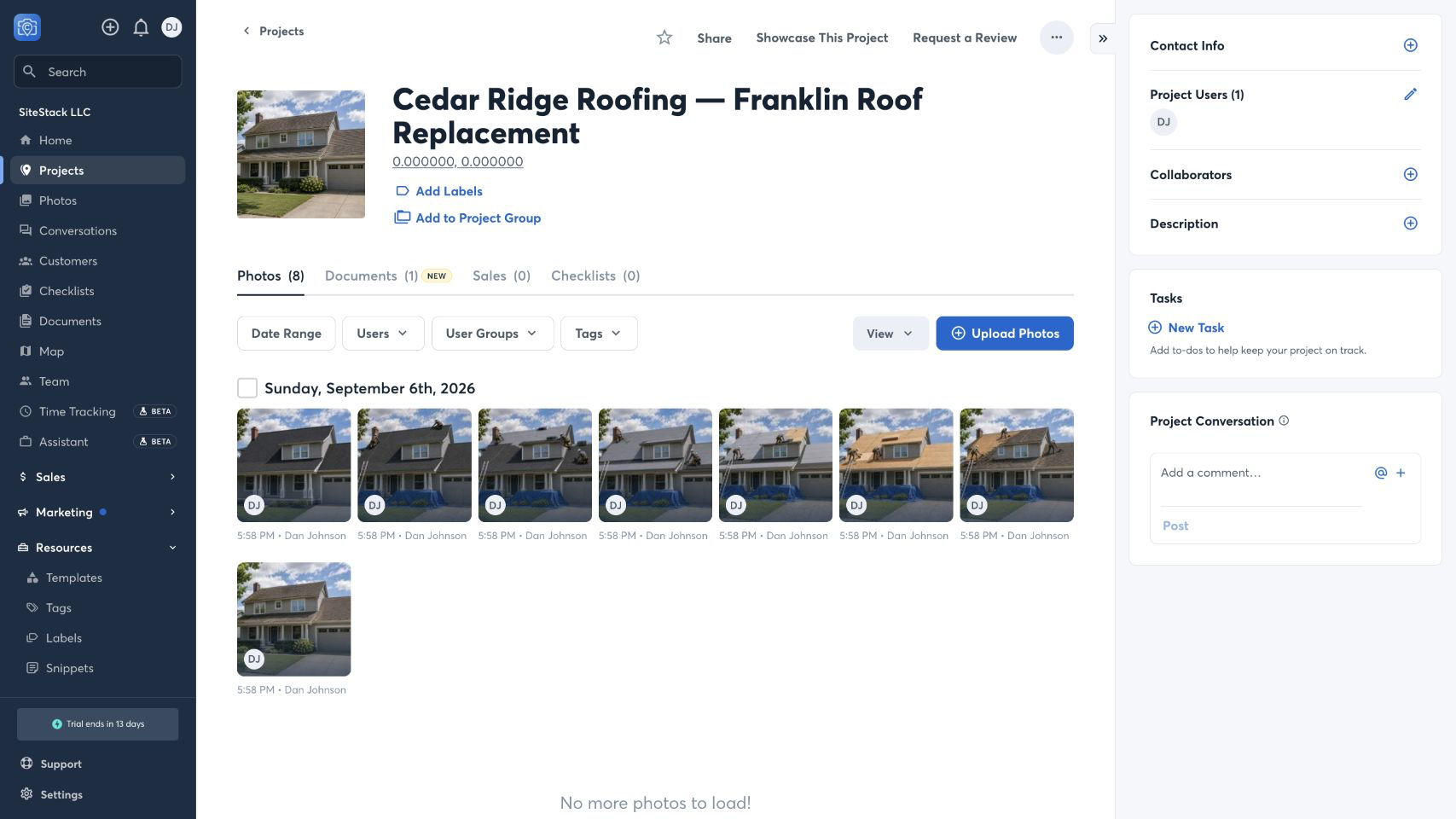
From CompanyCam to SiteSeam
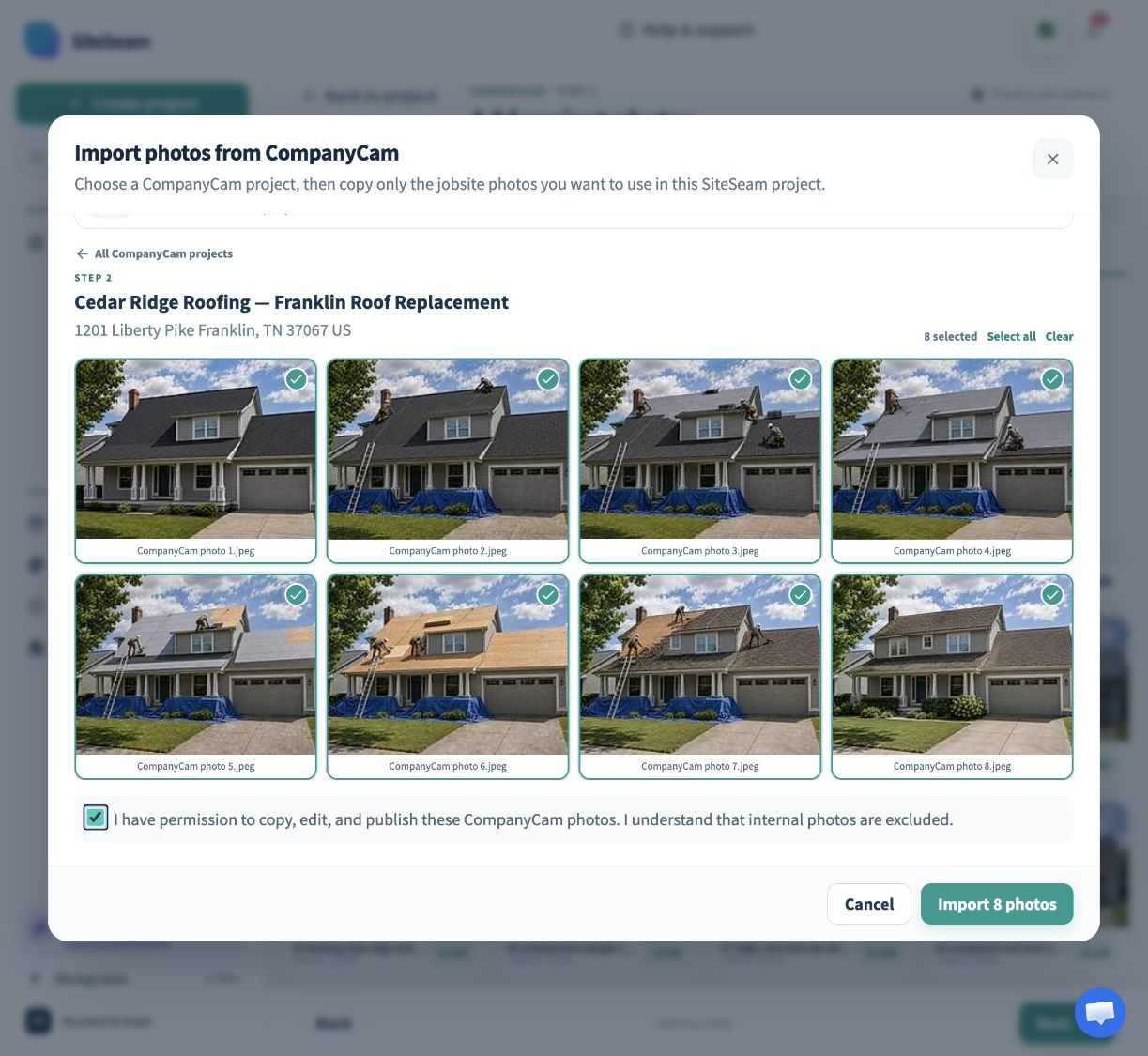
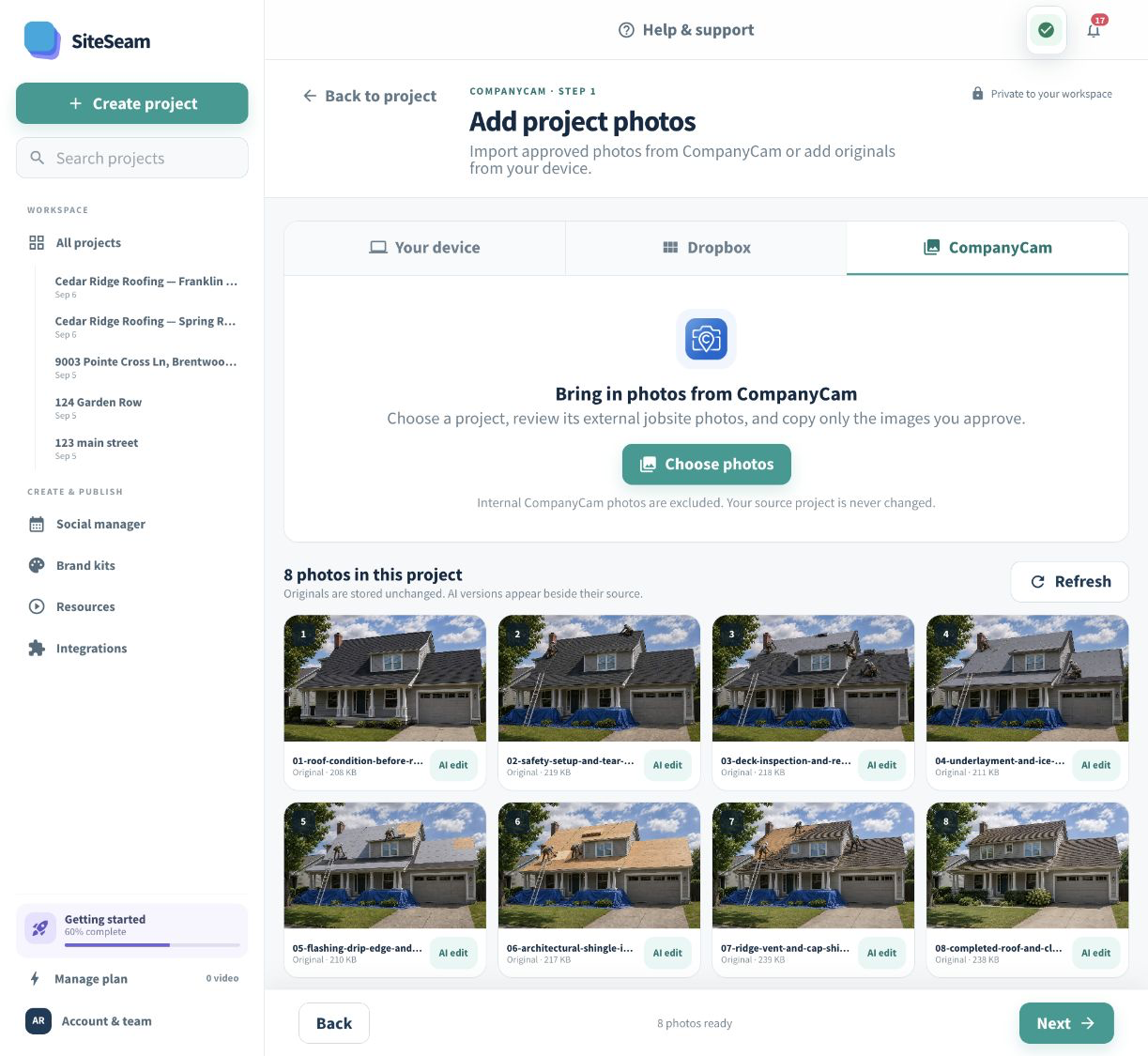
Choose the jobsite photos you want to share, then see them in your SiteSeam project, ready to create with.
Browse your CompanyCam project and select the photos you have permission to use.
The selected originals appear in your project. Your source photos stay unchanged in CompanyCam.
Work in. Marketing out.
Skip camera-roll scavenger hunts. Choose the CompanyCam project and photos that tell the story, then let SiteSeam prepare the content workflow.
Open the CompanyCam project for a completed job, progress milestone, inspection, or transformation.
Review the external photos and select only the images you have permission to use in marketing.
Use the imported originals in SiteSeam to build branded Reels, posts, and customer-ready updates.
Built for jobsite teams
Before-and-after work, finished details, progress milestones, and craftsmanship close the gap between “we do this” and “here is the proof.”
Show the visible difference between the starting point and finished work.
Turn the details your team documents into credible reasons to choose you.
Build a clear story from arrival, progress, completion, and handoff photos.
Keep marketing grounded in recent work instead of generic stock imagery.
You stay in control
SiteSeam uses read-only access to browse the connected workspace, hides photos marked internal, and asks you to confirm media rights before an import begins.
Start with one project
Connect your workspace and choose the project photos worth sharing—or upload the originals yourself.