Launch announcements
Introduce an upcoming event with imagery already tied to its page.

'%3e%3cg%20transform='translate(15%2015)%20translate(6%208)%20rotate(7)%20translate(-15%20-15)'%20opacity='0.7'%3e%3crect%20x='0'%20y='0'%20width='30'%20height='30'%20rx='8'%20fill='%23635bff'/%3e%3c/g%3e%3cg%20transform='translate(15%2015)%20translate(3%204)%20rotate(4)%20translate(-15%20-15)'%20opacity='0.85'%3e%3crect%20x='0'%20y='0'%20width='30'%20height='30'%20rx='8'%20fill='%233372f0'/%3e%3c/g%3e%3cg%20opacity='1'%3e%3crect%20x='0'%20y='0'%20width='30'%20height='30'%20rx='8'%20fill='%2300a9e0'/%3e%3c/g%3e%3c/g%3e%3c/svg%3e)
Eventbrite × SiteSeam
Choose the current cover images from events in your authorized Eventbrite organization. SiteSeam turns those visuals into polished Reels for launches, reminders, and recaps.
Browse the Setup GuideStart with what you already have
Bring the images you already capture into SiteSeam. Here’s where the story begins.
Your images, already in Eventbrite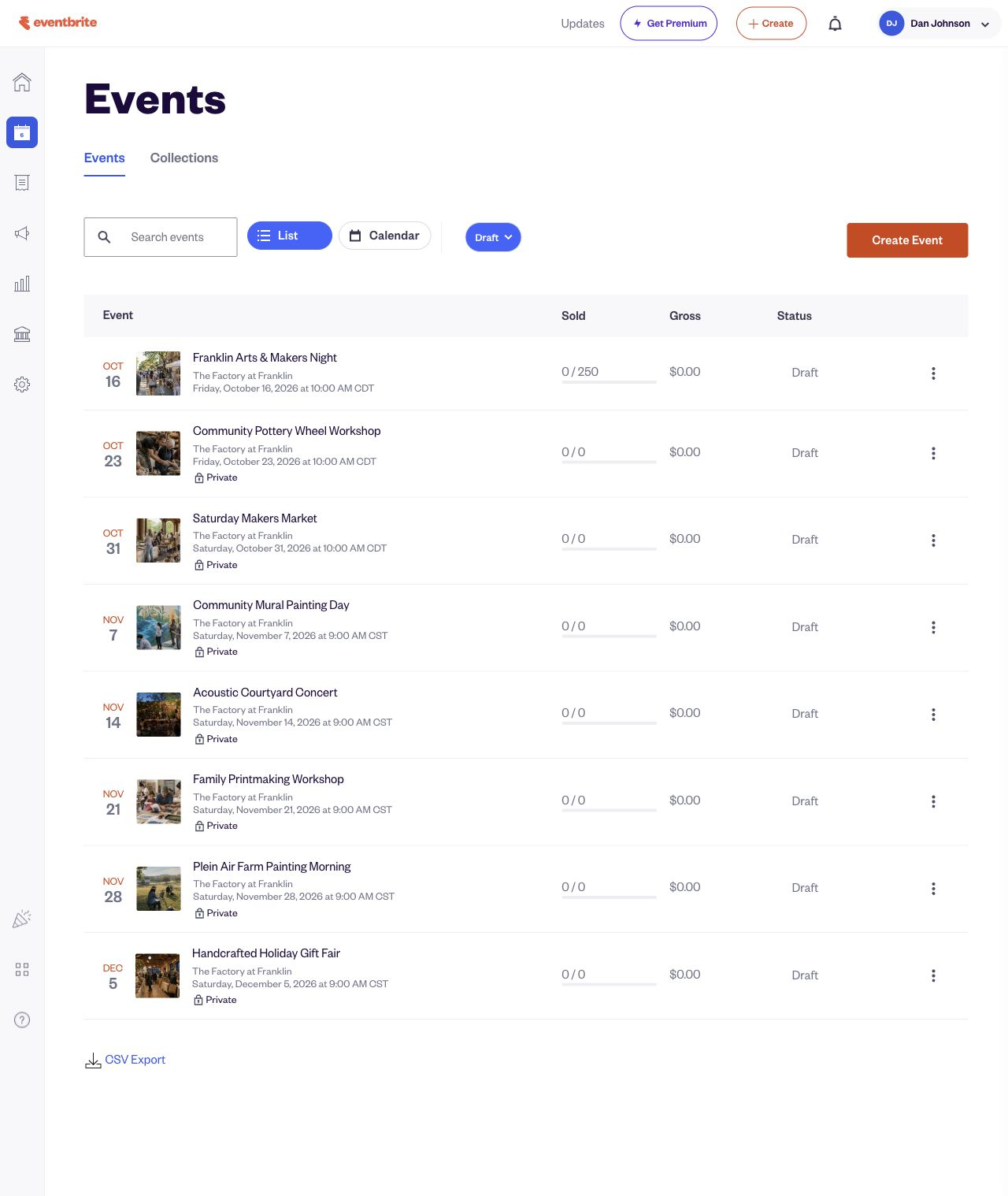
From Eventbrite to SiteSeam
Select approved images from Eventbrite, then see them in your SiteSeam project, ready to create with.
The approved event covers are selected for import.
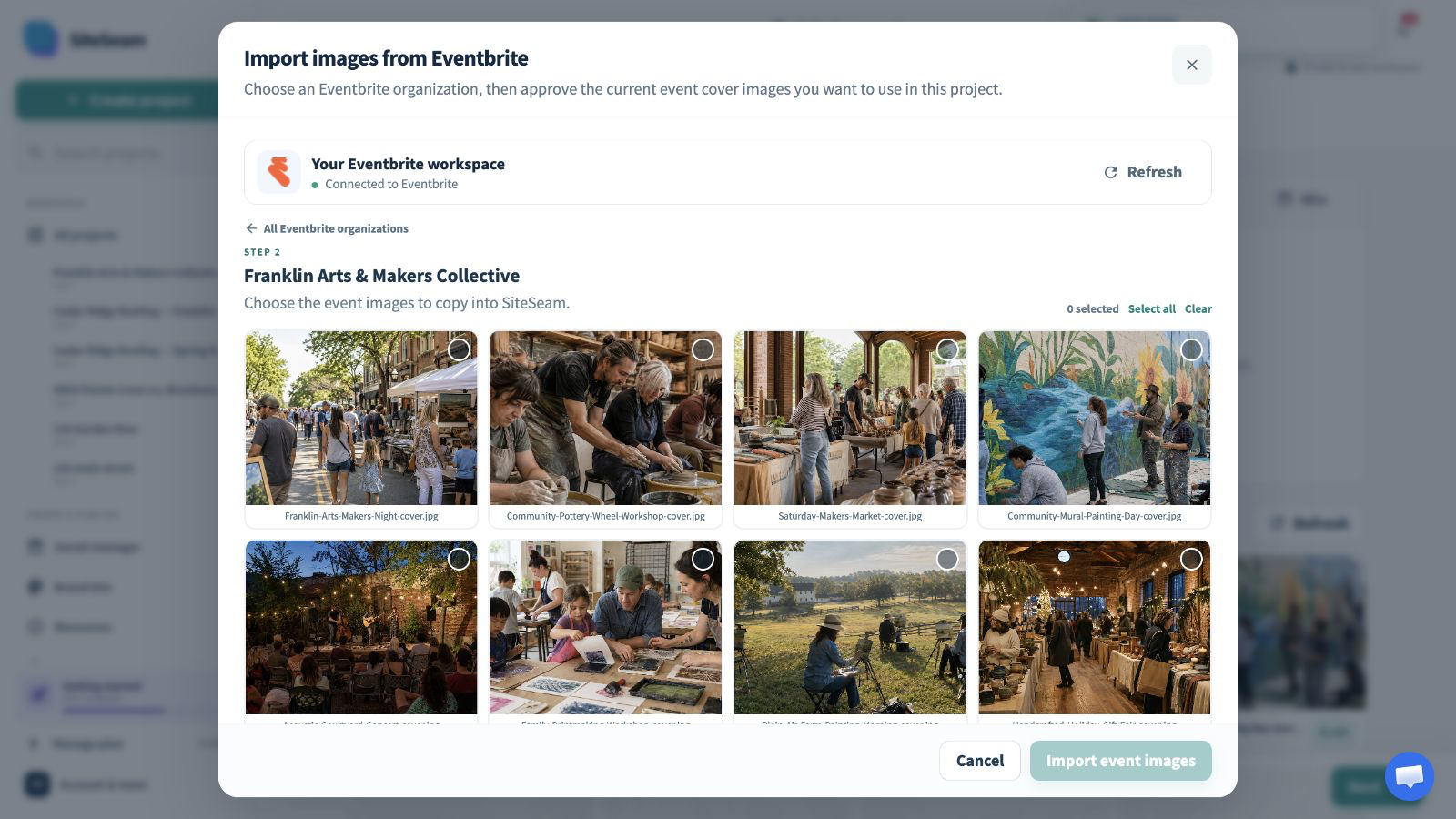
The selected event images appear in the SiteSeam project gallery.
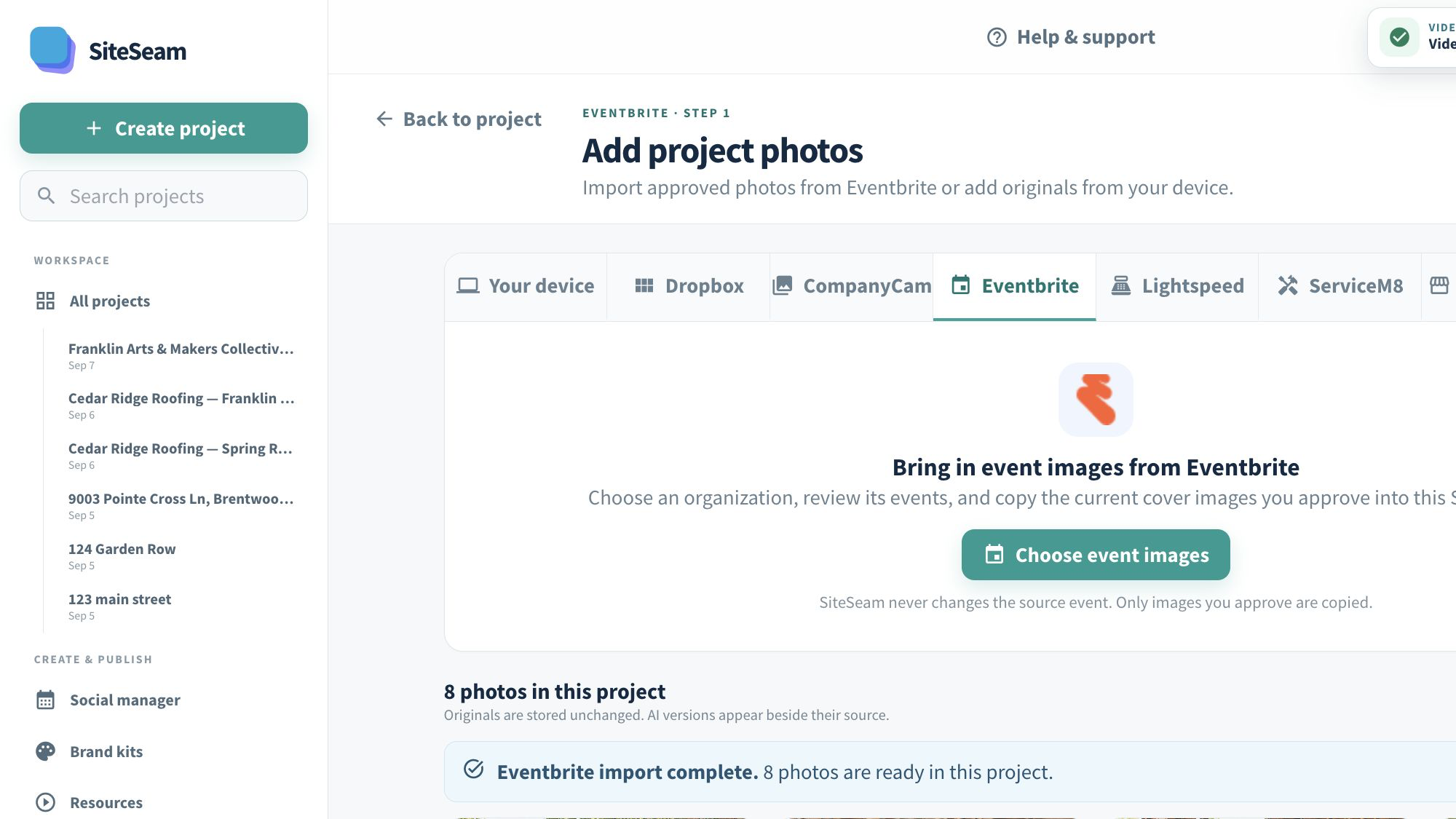
Event visuals in. Marketing out.
Browse one authorized organization, choose the event covers that fit your story, and keep the source events unchanged.
Open the organization that owns the events you want to promote.
Review current event images and approve only the visuals you may publish.
Arrange the imported images into a branded launch, reminder, or recap Reel.
Built for event organizers
Event cover images already carry the theme, speakers, setting, or community your audience recognizes.
Introduce an upcoming event with imagery already tied to its page.
Refresh attention as registration windows and event dates approach.
Bring several related events together in one concise visual story.
Reuse approved event visuals to show the range of an organization’s work.
You stay in control
SiteSeam reads event and organization information needed for the picker, then copies only approved images.
Start with an event campaign
Connect your organization and choose event visuals—or upload your own approved photos.