Before and after
Show the visible change from the first inspection to completion.

'%3e%3cg%20transform='translate(15%2015)%20translate(6%208)%20rotate(7)%20translate(-15%20-15)'%20opacity='0.7'%3e%3crect%20x='0'%20y='0'%20width='30'%20height='30'%20rx='8'%20fill='%23635bff'/%3e%3c/g%3e%3cg%20transform='translate(15%2015)%20translate(3%204)%20rotate(4)%20translate(-15%20-15)'%20opacity='0.85'%3e%3crect%20x='0'%20y='0'%20width='30'%20height='30'%20rx='8'%20fill='%233372f0'/%3e%3c/g%3e%3cg%20opacity='1'%3e%3crect%20x='0'%20y='0'%20width='30'%20height='30'%20rx='8'%20fill='%2300a9e0'/%3e%3c/g%3e%3c/g%3e%3c/svg%3e)
ServiceM8 × SiteSeam
Choose photos your team already attached to a ServiceM8 job. SiteSeam turns them into polished customer updates, proof-of-work stories, and social Reels.
Browse the Setup GuideStart with what you already have
Bring the images you already capture into SiteSeam. Here’s where the story begins.
Your images, already in ServiceM8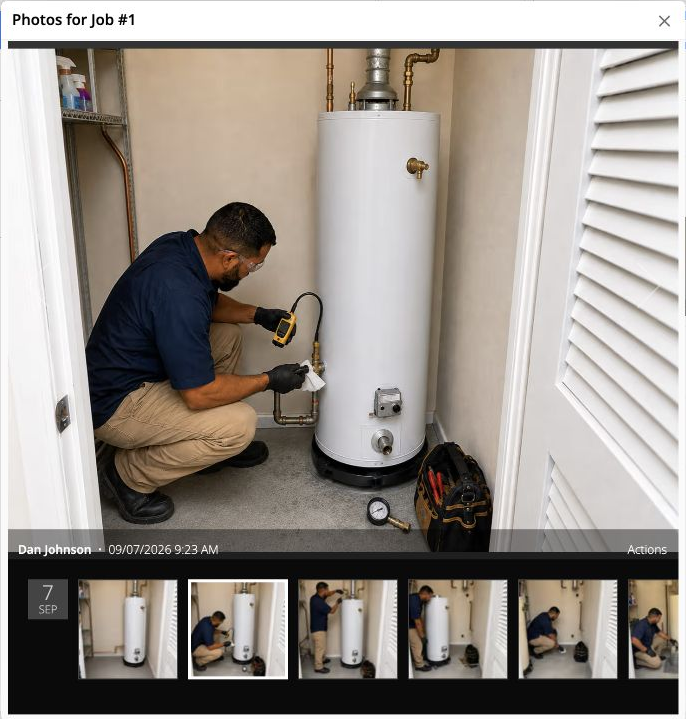
From ServiceM8 to SiteSeam
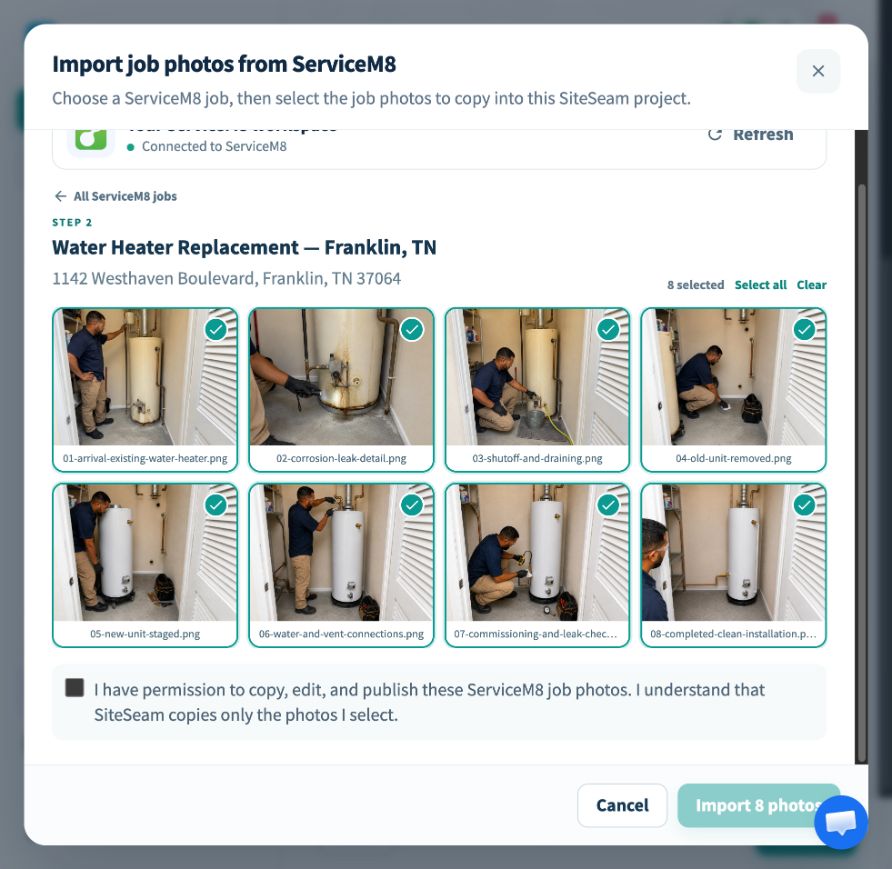
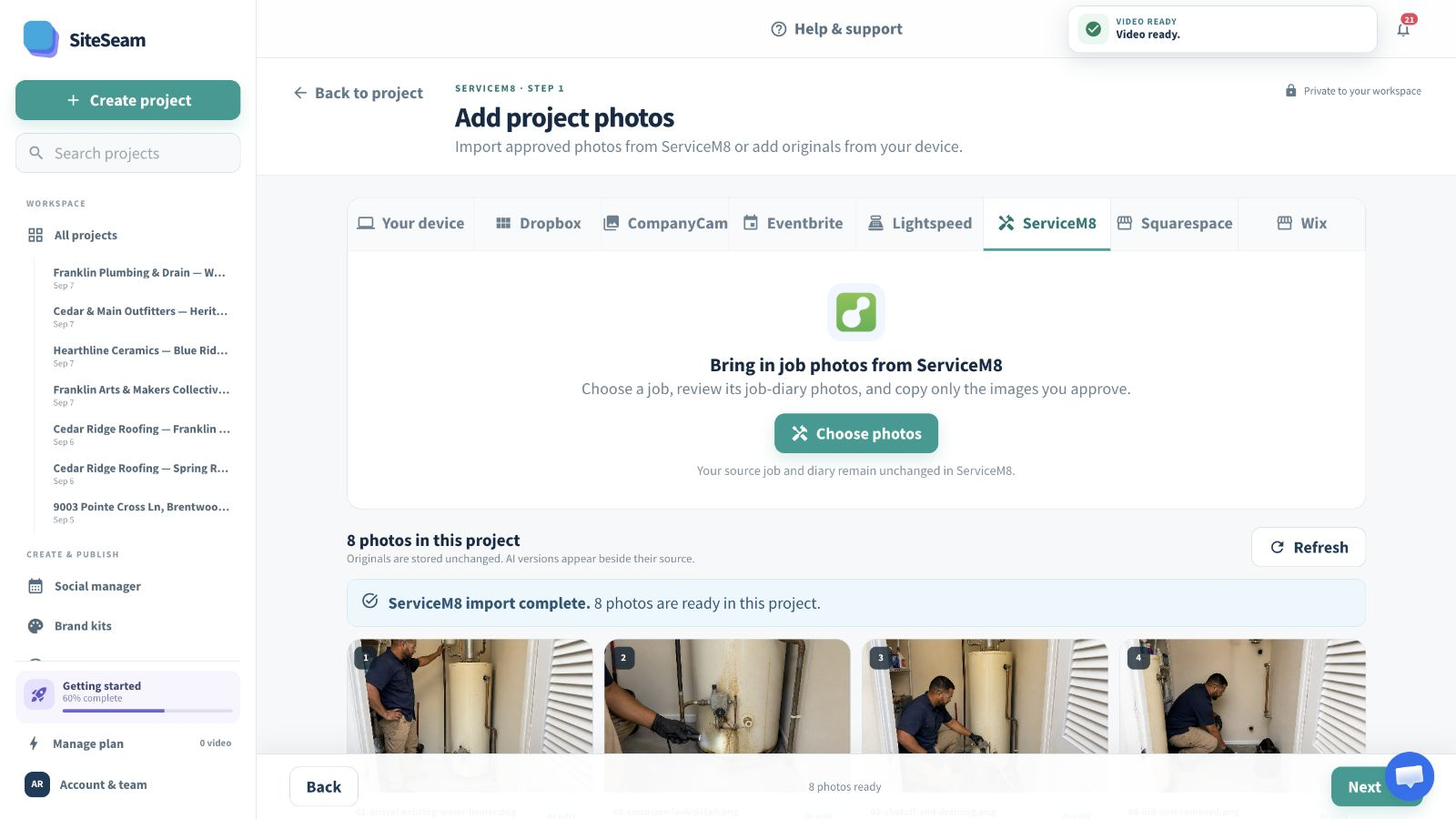
Select approved images from ServiceM8, then see them in your SiteSeam project, ready to create with.
The approved job photos are selected for import.
The selected job photos appear in the SiteSeam project gallery.
Field work in. Marketing out.
Browse the connected jobs, choose photos that document the service, and keep every source record unchanged.
Open the ServiceM8 job that contains the work worth sharing.
Approve before, progress, testing, and completed-work photos.
Arrange the imported photos into a clear, branded service story.
Built for field-service teams
The photos captured for documentation can also explain the process and give future customers confidence.
Show the visible change from the first inspection to completion.
Make important stages understandable without a long written explanation.
Highlight the checks and finishing details that support trust.
Keep marketing grounded in services your team is delivering now.
You stay in control
SiteSeam reads job details and image attachments needed for selection without changing the ServiceM8 job diary.
Start with one completed job
Connect your business and choose job-diary photos—or upload your own approved photos.