A blank prompt asks you to invent the strategy
The owner has to explain the whole business, plan the content, and understand a new software category before seeing anything useful.
How SiteSeam works
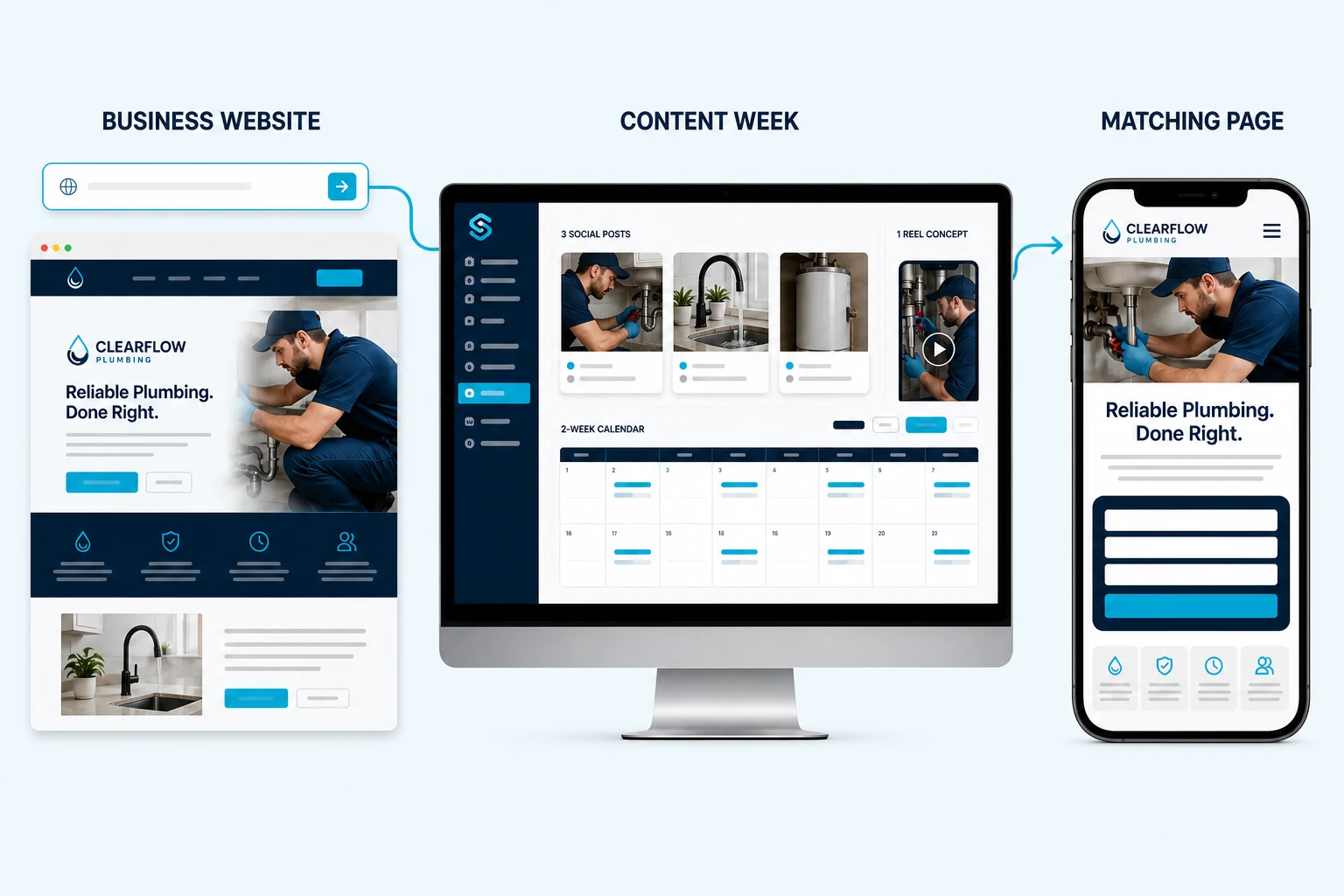
SiteSeam learns the public basics of the business, prepares a branded content direction, and connects each campaign to a clear customer next step.
Start for Free, No Credit Card, No Sign Up Needed
Scheduled
3 posts + 1 Reel
Next step
Approved content can connect to a relevant call, quote, booking, or lead page.
Value before configuration
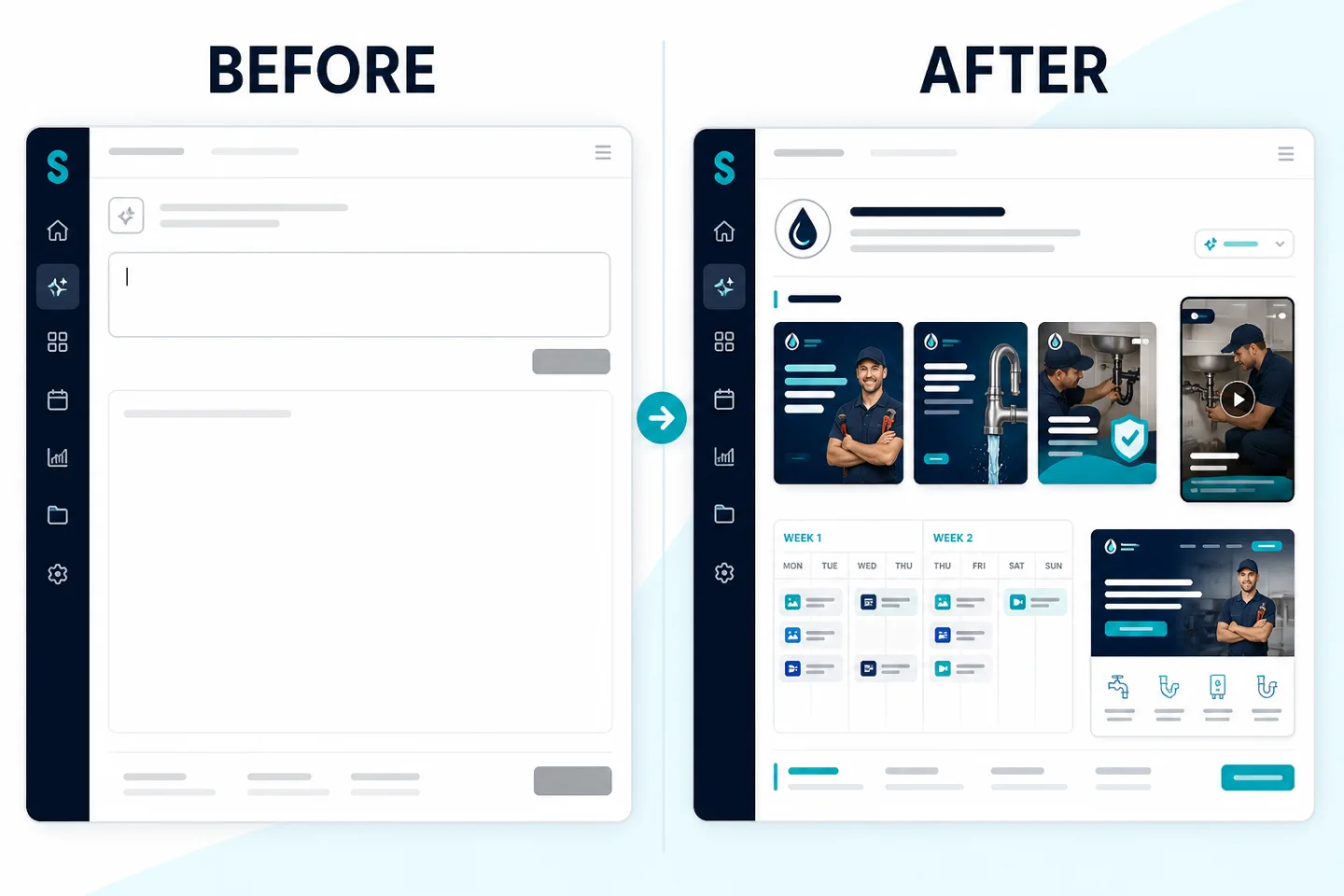
A blank prompt asks you to invent the strategy
The owner has to explain the whole business, plan the content, and understand a new software category before seeing anything useful.
The website creates a grounded starting point
SiteSeam infers services, brand cues, and likely audience, then prepares a reviewable direction that the owner can correct.
What the preview includes
The preview shows more than isolated copy. It makes the relationship between content, timing, and conversion visible.
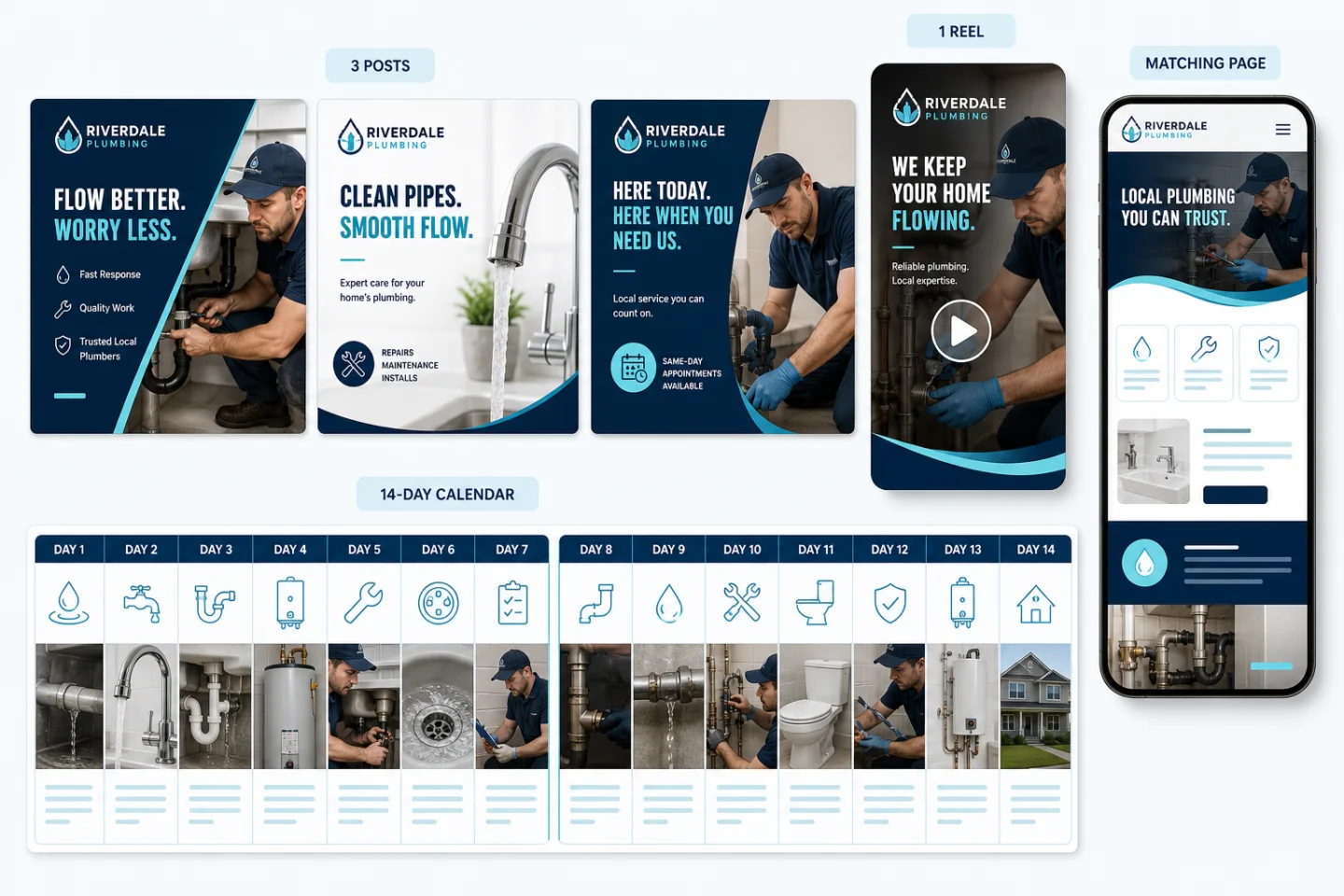
See visual directions and suggested captions tied to real services and likely customer questions.
Review a practical storyboard that can use approved work or business moments.
Understand what would publish, when it would publish, and where an interested customer would go next.
The workflow
Automation supports the repeated work while the business remains responsible for accuracy and approval.
01
Start with one URL so SiteSeam can infer the public brand, services, location, and tone.
02
Adjust any inferred details without completing a blocking multi-page questionnaire.
03
Check the posts, Reel idea, captions, schedule, and landing-page preview.
04
Use safe work photos, services, and reviews you have permission to feature.
05
Claim the preview and connect supported accounts only when the business is ready.
Where AI fits
The benefit is staying active and turning attention into customer opportunities. AI helps analyze public inputs, draft variations, and organize the work behind that outcome.
Use the public website to suggest brand, service, location, and tone details for correction.
Draft captions, content angles, and page direction faster from approved source material.
The business verifies claims, consent, availability, and private details before publishing.
Your next two weeks can start here