Asana Integration
Route new leads into Asana with the right context
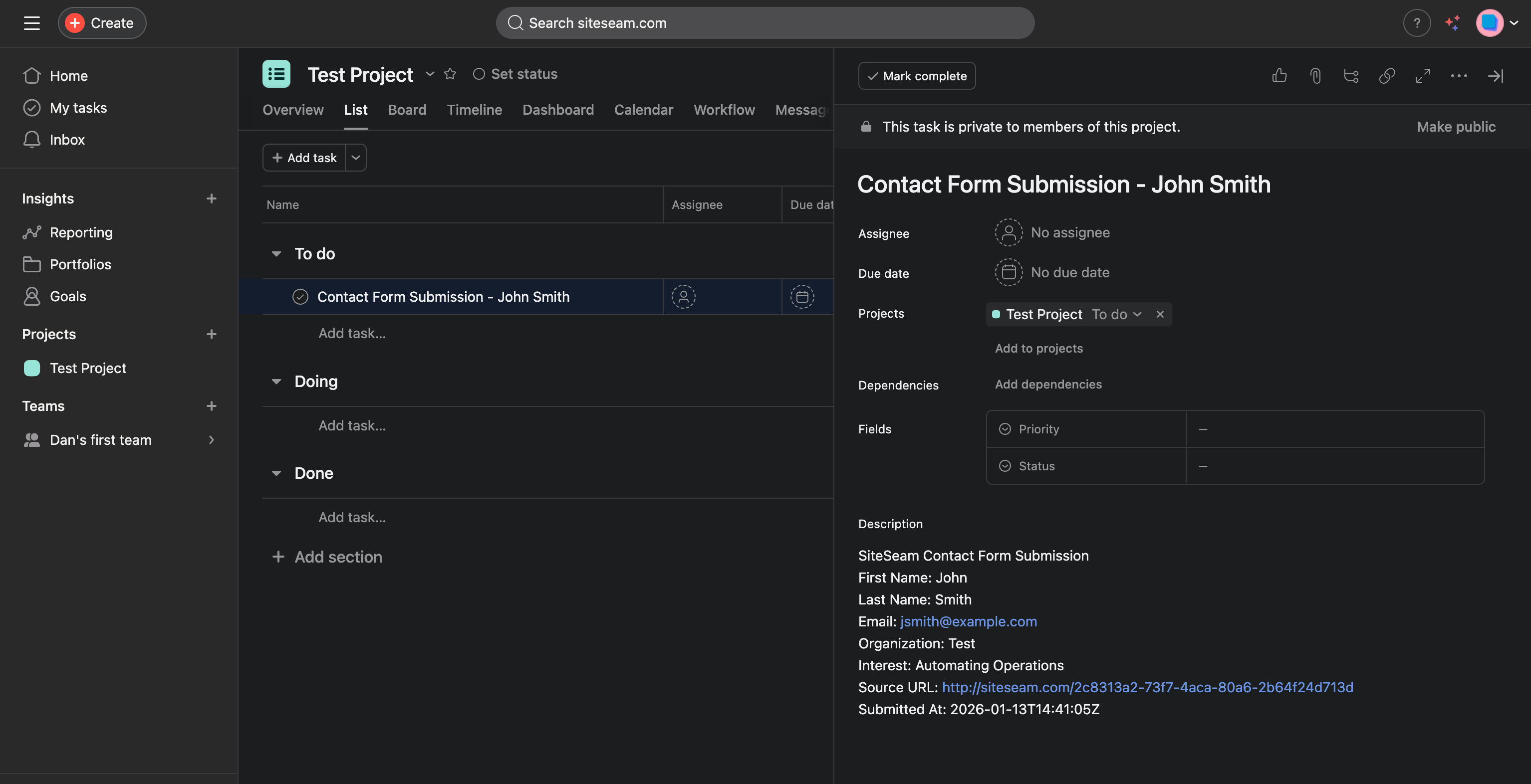
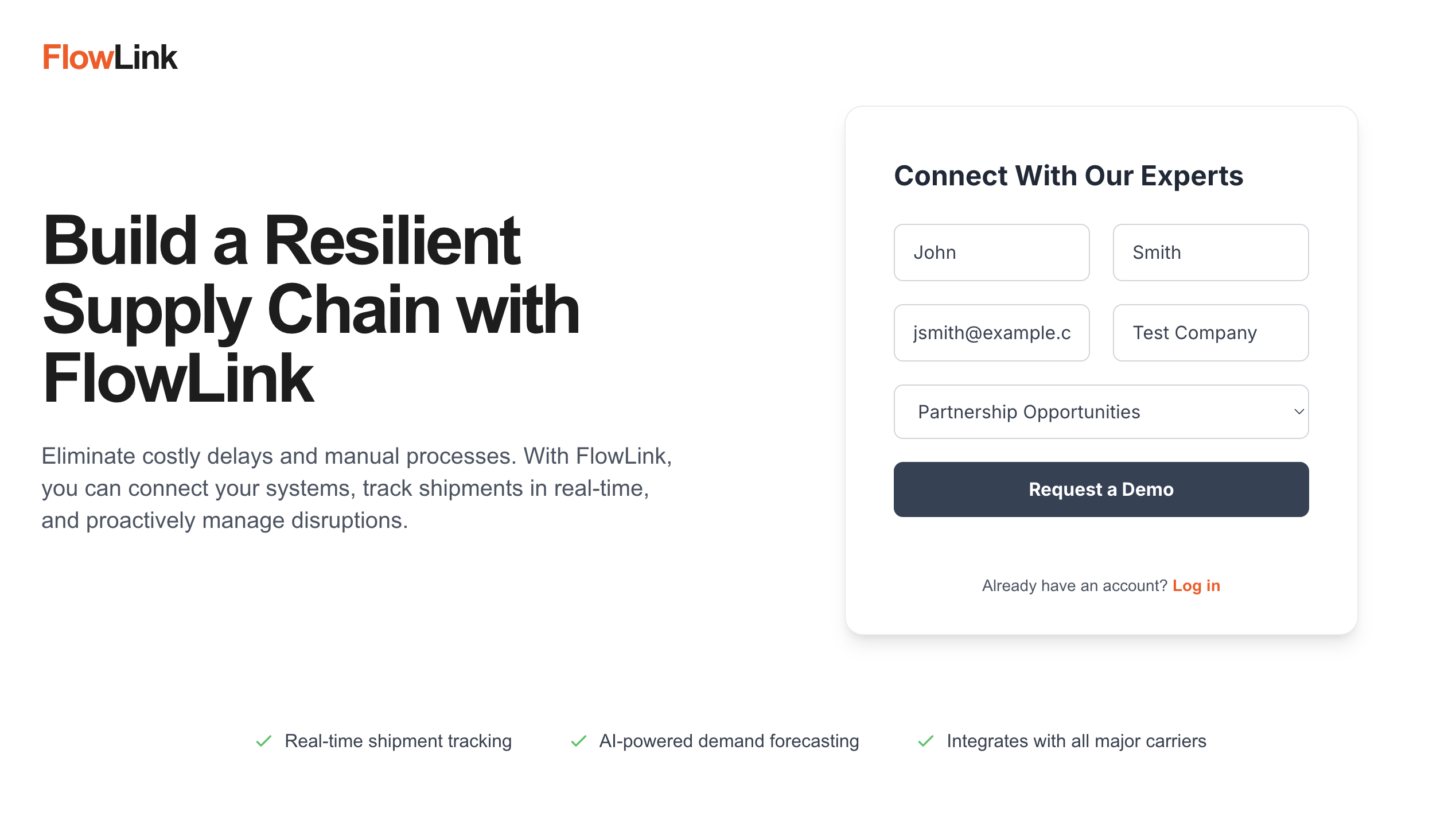
Capture leads from forms, bookings, and quote requests, then create Asana tasks with the source page and service context your team needs to follow up.
Auto-create
tasks from new lead activity
Project-ready
route to the right workspace and board
Faster follow-up
with source context attached
Lead routing
Keep lead capture and project delivery connected
SiteSeam can send high-intent actions into Asana so operations, sales, and delivery teams can respond from the same place they already manage work.
- •Create Asana tasks from contact forms, bookings, and quote requests.
- •Include the original page, service, and contact details in the task handoff.
- •Change the destination project when your workflow changes without rebuilding the lead flow.
Workflow
How Asana lead routing works
Capture the lead once, then let SiteSeam create the task so the team can move straight into delivery and follow-up.
Step 01
Capture the lead
Forms, booking flows, and quote requests collect the buyer information and the offer that drove the inquiry.
Step 02
Create the Asana task
SiteSeam sends the activity into the mapped workspace and project with the context your team needs.
Step 03
Follow up from one place
Ops and account teams can act from Asana instead of copying lead details across disconnected tools.
Best fit
Built for teams that already run on Asana
This integration is useful when your delivery, operations, or client workflow already starts inside Asana.
Service operations
Send new inquiries into operational projects so crews and coordinators can respond without delay.
Marketing teams
Keep campaign pages, source context, and follow-up tasks tied together when new leads arrive.
Agencies and client teams
Create repeatable handoffs from campaign traffic to fulfillment work without manual copy-paste.
Integrations
Connect lead capture to the rest of your workflow
Asana is one option inside a broader integration layer built for lead routing, follow-up, and team visibility.

Create tasks from SiteSeam lead activity.

Create pages in Notion databases to keep work organized.
'%3e%3cpath%20d='M9.09091%20100H30.303V48.4848L0%2025.7576V90.9091C0%2095.9394%204.07576%20100%209.09091%20100Z'%20fill='%234285F4'/%3e%3cpath%20d='M103.03%20100H124.242C129.273%20100%20133.333%2095.9242%20133.333%2090.9091V25.7576L103.03%2048.4848'%20fill='%2334A853'/%3e%3cpath%20d='M103.03%209.09091V48.4848L133.333%2025.7576V13.6364C133.333%202.39394%20120.5%20-4.01515%20111.515%202.72727'%20fill='%23FBBC04'/%3e%3cpath%20d='M30.303%2048.4848V9.09091L66.6667%2036.3636L103.03%209.09091V48.4848L66.6667%2075.7576'%20fill='%23EA4335'/%3e%3cpath%20d='M0%2013.6364V25.7576L30.303%2048.4848V9.09091L21.8182%202.72727C12.8182%20-4.01515%200%202.39394%200%2013.6364'%20fill='%23C5221F'/%3e%3c/g%3e%3cdefs%3e%3cclipPath%20id='clip0_1:194'%3e%3crect%20width='133.333'%20height='100'%20fill='white'/%3e%3c/clipPath%3e%3c/defs%3e%3c/svg%3e)
Send outreach and replies directly from team inboxes.

Sync contacts and lifecycle updates with HubSpot.

Sync contacts and opportunities from HighLevel to keep pipeline activity aligned.
'/%3e%3cpath%20fill-rule='evenodd'%20clip-rule='evenodd'%20d='M32.4953%2017.1804C32.2202%2016.9368%2031.8067%2016.9367%2031.5314%2017.1801L15.663%2031.2116C15.0564%2031.748%2014.1285%2031.6857%2013.599%2031.0731L7.40986%2023.9122C6.88774%2023.3082%206.95019%2022.3961%207.54979%2021.8688L31.0527%201.20062C31.6021%200.717503%2032.4248%200.717611%2032.9741%201.20088L56.4822%2021.8847C57.0822%2022.4125%2057.1439%2023.3256%2056.6205%2023.9294L50.4164%2031.0866C49.8862%2031.6982%2048.9589%2031.7594%2048.353%2031.2229L32.4953%2017.1804Z'%20fill='url(%23paint1_linear_8_569)'/%3e%3cdefs%3e%3clinearGradient%20id='paint0_linear_8_569'%20x1='5.3335'%20y1='32.1624'%20x2='58.6653'%20y2='32.1624'%20gradientUnits='userSpaceOnUse'%3e%3cstop%20offset='0.225962'%20stop-color='%236647F0'/%3e%3cstop%20offset='0.793269'%20stop-color='%230091FF'/%3e%3c/linearGradient%3e%3clinearGradient%20id='paint1_linear_8_569'%20x1='5.3335'%20y1='31.6447'%20x2='58.6653'%20y2='31.6447'%20gradientUnits='userSpaceOnUse'%3e%3cstop%20stop-color='%23FF02F0'/%3e%3cstop%20offset='0.778846'%20stop-color='%23F76808'/%3e%3c/linearGradient%3e%3c/defs%3e%3c/svg%3e)
Create tasks from SiteSeam lead activity.
%20--%3e%3csvg%20version='1.1'%20id='Layer_1'%20xmlns='http://www.w3.org/2000/svg'%20xmlns:xlink='http://www.w3.org/1999/xlink'%20x='0px'%20y='0px'%20viewBox='0%200%2097%20119'%20style='enable-background:new%200%200%2097%20119;'%20xml:space='preserve'%3e%3cstyle%20type='text/css'%3e%20.st0{fill:%23041C4E;}%20.st1{display:none;}%20%3c/style%3e%3cg%3e%3cg%3e%3cpath%20class='st0'%20d='M18.2,48.5c0,0,5.1-7.2,11.9-7.4c10.5-0.2,19,18.7,20.3,21.4C62,36.6,81.1,14.6,96.7,0H1.1%20c0,9,0.1,99.7,0.1,107.1c0,5.9-0.8,10.1-1.2,11.9c4.2-0.7,20.3-3.4,36.7-9.3c29-10.4,40.4-21.6,40.5-21.7l0.7-0.7l0.4,0.9%20c0,0.1,3.6,8.1,7.2,12.3c4,4.7,6.3,5.3,7.5,4.9c1.6-0.5,2.7-3.1,3.2-7.6c0.4-4.3,0.8-14.1,0.8-25.9c0-21.4,0-49.6,0-63.8%20C68.8,42.7,48.1,94.5,48.1,94.5S34.5,48.2,18.2,48.5z'/%3e%3c/g%3e%3c/g%3e%3cg%20id='social_landscape'%20class='st1'%3e%3c/g%3e%3cg%20id='guides'%20class='st1'%3e%3c/g%3e%3c/svg%3e)
Send form activity into Smartsheet and keep submissions organized.

Keep Monday boards aligned with new leads.

Send pipeline updates to Pipedrive automatically.

Sync leads and activity into Zoho CRM.

Keep account activity in Salesforce up to date.

Send lead activity into Attio workspaces.

Log SiteSeam submissions and bookings in Close.

Sync Keap contacts and lead activity.

Keep ActiveCampaign in sync with new leads.

Trigger workflows with SiteSeam webhook events.
%20scale(0.706%201)'%20gradientUnits='objectBoundingBox'%3e%3cstop%20offset='0.2'%20stop-color='%23f024f6'/%3e%3cstop%20offset='0.386'%20stop-color='%23c416f8'/%3e%3cstop%20offset='0.61'%20stop-color='%239406f9'/%3e%3cstop%20offset='0.722'%20stop-color='%238200fa'/%3e%3c/radialGradient%3e%3cclipPath%20id='clip-Make-Icon-Circle-Color-transparent'%3e%3crect%20width='512'%20height='512'/%3e%3c/clipPath%3e%3c/defs%3e%3cg%20id='Make-Icon-Circle-Color-transparent'%20clip-path='url(%23clip-Make-Icon-Circle-Color-transparent)'%3e%3ccircle%20id='Ellipse_5682'%20data-name='Ellipse%205682'%20cx='256'%20cy='256'%20r='256'%20fill='%23fff'/%3e%3cg%20id='Logo_Dominos'%20data-name='Logo%20Dominos'%20transform='translate(90%20150)'%3e%3cpath%20id='Path_203368'%20data-name='Path%20203368'%20d='M1517.861,1588.687l43.727-185.587a6.7,6.7,0,0,1,8.083-5.038l52.083,12.71A6.832,6.832,0,0,1,1626.7,1419l-43.727,185.587a6.7,6.7,0,0,1-8.083,5.038l-52.083-12.71A6.854,6.854,0,0,1,1517.861,1588.687Zm122.055,19.758H1693.5a6.756,6.756,0,0,0,6.7-6.817V1410.772a6.756,6.756,0,0,0-6.7-6.818h-53.581a6.756,6.756,0,0,0-6.7,6.818v190.856A6.756,6.756,0,0,0,1639.917,1608.446Zm-232.191-27.176,48.155,23.917a6.632,6.632,0,0,0,8.946-3.143l82.233-171.514a6.859,6.859,0,0,0-3.088-9.1l-48.155-23.918a6.632,6.632,0,0,0-8.945,3.142l-82.21,171.491A6.877,6.877,0,0,0,1407.725,1581.27Z'%20transform='translate(-1403.973%20-1396.819)'%20fill='url(%23radial-gradient)'/%3e%3c/g%3e%3c/g%3e%3c/svg%3e)
Send lead events to Make scenarios.